7
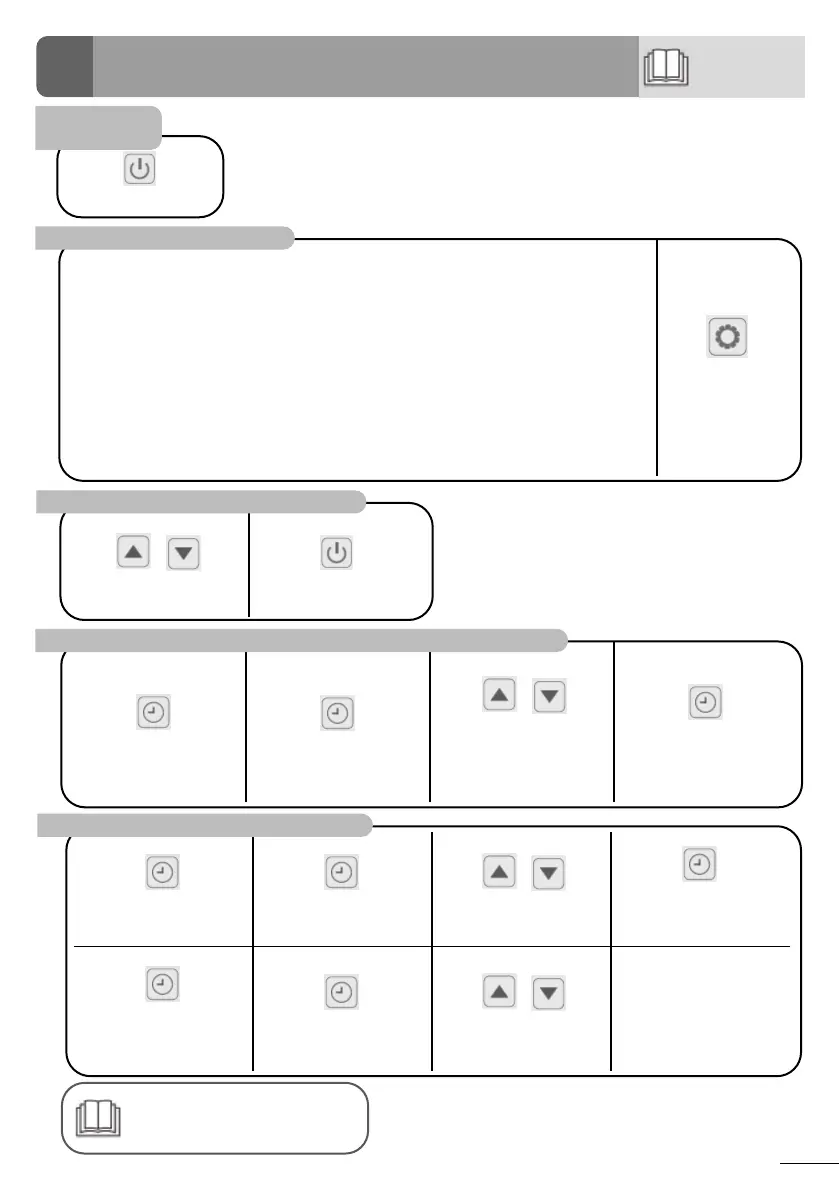
User functions
5 seconds
Press to set and modify the
value
Press to conrm
Adjust the temperature setpoint
Press 5 sec
Press - the hours are blinking
Use the arrow buons to
adjust the hours.
Repeat for the minutes.
Press to validate and return
to the main screen.
Set the time (clock)
Lock/Unlock
the keypad
❷ Use
Refer to the online manual for
further details about operang
modes and the query funcons.
4
The heat pump has 3 operang modes:
Silent - Ideal to maintain the temperature or at night me during summer season
• Heat Pump runs at low power seng
• Compressor operates on low-speed ranges to minimize energy consumpon
• Lowest noise and highest COP
Smart - Automac power adjustment to maximize comfort and eciency
• Compressor operates smartly from low to high-speed ranges
• Reduced noise and energy consumpon
Powerful - Ideal to begin the season or to operate in cold condions
• Heat Pump runs at high power seng
• Compressor operates on high-speed ranges to heat the pool faster
• Maximum heang power
Press to change the
operang mode.
Select an operating mode
Press to enter Timer 1
funcons. Timer 1 blinking.
Press to enter Timer 1 ON
hours.
Use the arrow buons to
adjust the start hours.
Press again to set the
minutes. Use the arrows to
adjust the start minutes.
Press again to modify Timer
1 OFF hours and minutes as
done previously
Press to conrm Timer 1 ON/
OFF sengs.
Use the arrow buons to set
Timer 2 ON/OFF sengs.
Program the timer




 To Next Page