2. Operation of heat pump
2.1 Operation of control display
When heat pump is supplied with power, controller will display with full screen, shows that it is
already connected. If connection fails in 10 seconds, please check connections between communica-
tion cable and control display, or replace with another control display.
Button functions:
button: ON/OFF switch to start or stop heat pump.
TIMER button:Timer button to set timer on and timer o.
MODE button: To switch between heating, cooling and auto mode.
To enter parameter settings and conrm settings.
“+” “-” button: To increase or decrease value.
Icons denitions:
--heating icon, showing heat pump is in heating mode.w
--cooling icon, showing heat pump is in cooling mode.
--auto icon, showing heat pump is in auto mode.
--alarm icon, showing system alarm.
--key pad lock icon, showing buttons on the control display are locked.
--wi signal.
Note: 1. Heat pump is not equipped with electric heater internally, only provides terminal for
external connection.
2. Fan speed is automatically controlled by ambient temperature, not manually.
2.1.1 Key pad lock
Press « + » and « - » button together for 5 seconds, display will show lock icon. Do this again to
unlock.
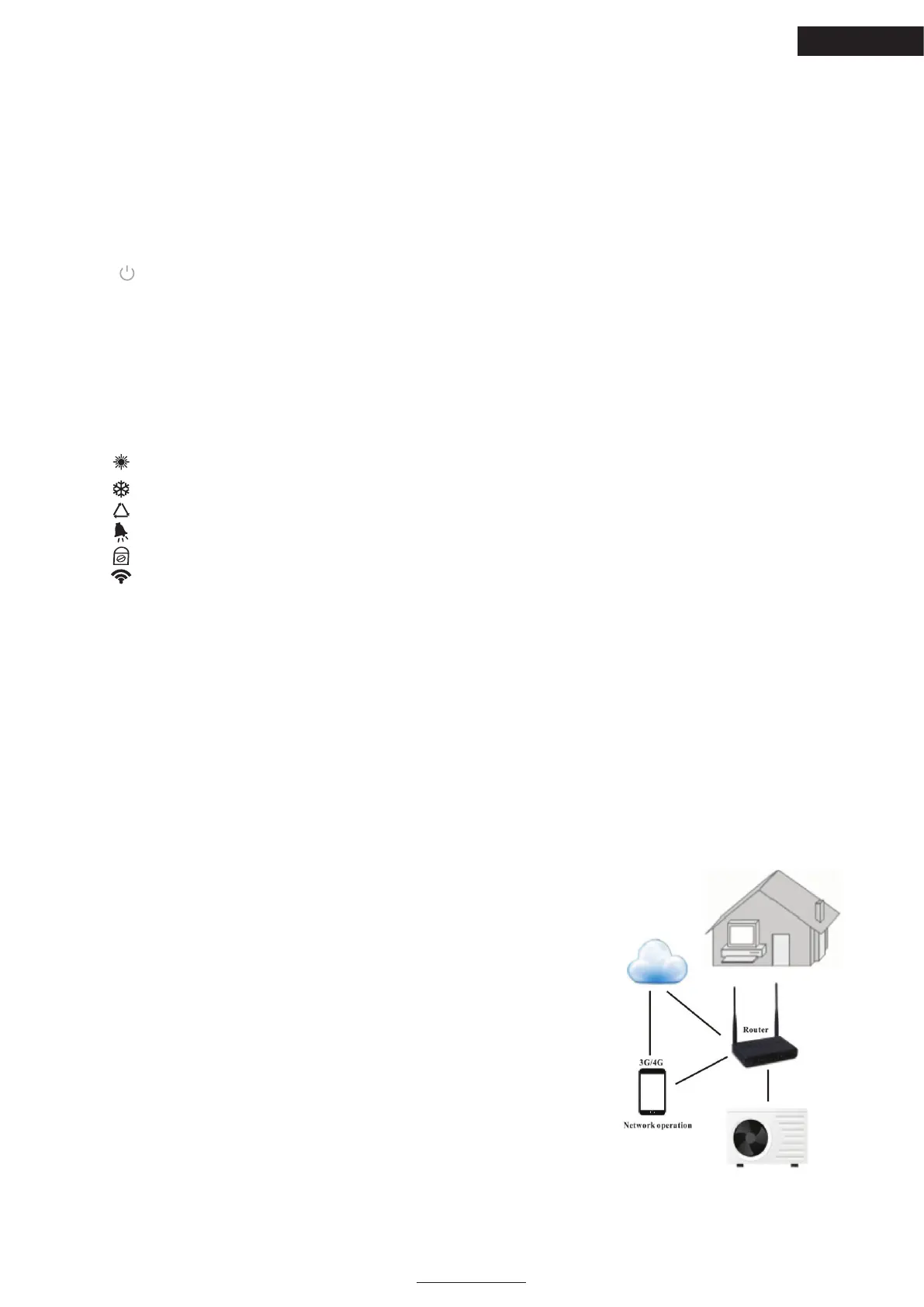
2.2. Operation of EVOLine AstralPool APP controller
2.2.1 working principle of API control
Requirements for Android System:
1. System version above 2.3.7 (2.3.7 not included).
2. Resolution 480*800 and above.
3. APK 40M and above; TF card or Build-in-storage.
4. Requiring the system to have remaining 100MB of storage
Requirements for iPhone iOS System:
1. For iOS system version 8x and above.
2.For iPhone 4s and latter ones.
3. At least 40M of storage remaining in the phone.
EN





 To Next Page