6. Using the up and down arrows in conjunction with the HOUR and MIN buttons, set the amount of time you want
the filtration pump to run for. (Note: You are not setting an off time, you are setting a run period). Press NEXT
when done.
7. Repeat steps 5 & 6 for timer period 2 and for Saturday-Sunday periods.
Note: In the event you cannot increase the start time for the period, it will most likely be caused by the set run time
going beyond midnight. When setting timers, you cannot set period to run past midnight as this will cause conflict
between Mon-Fri settings and Sat-Sun settings. For night time running, set your first period to run up until 23:59 and
your second period to start at 00:01.
PLEASE NOTE:
Each time RC9 starts up in Automatic, it will be on pre-purge for 5 minutes. The display shows:
PRE_PURGE
This allows time for accurate sensing and proper mixing before dosing commences. For service needs, press Pool
Mode to get to Manual On and there will be no Pre-purge
RC9 – ORP AND/OR PH SET POINT ADJUSTMENT
1. The factory default set points are;
i. pH - 7.6
ii. ORP - 700mV
As all pools are different in construction, it may be necessary to change the set points. To ensure warranty on your
pool shell /surface, the required levels should be set under guidance from your pool builder or other pool
professional
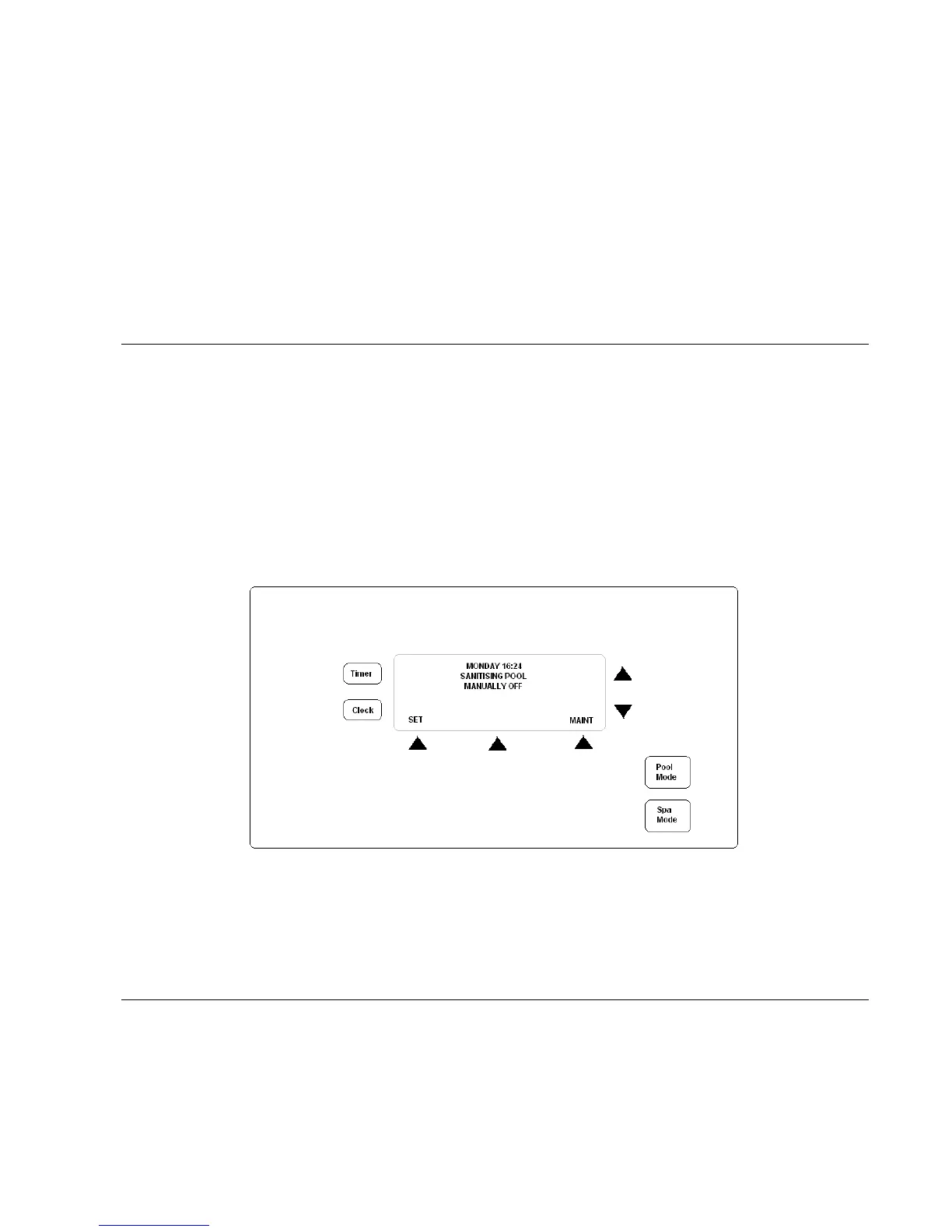
2. To change the settings for either ORP or pH, switch the controller into the manually off position using the POOL
MODE button, then select the SET button from the main screen.
3. The screen will display “Change pH Set Point?” Select Yes or No.
4. Using the Up and Down arrows to the right of the screen change set point if required. Select ACCEPT when done.
5. Repeat process for ORP setting also.
RC9 – ORP AND/OR PH MANUAL DOSING
1. Using the POOL MODE button, switch the RC9 to manually off.
2. Select the MAINT option and the following screen will be shown;


 To Next Page