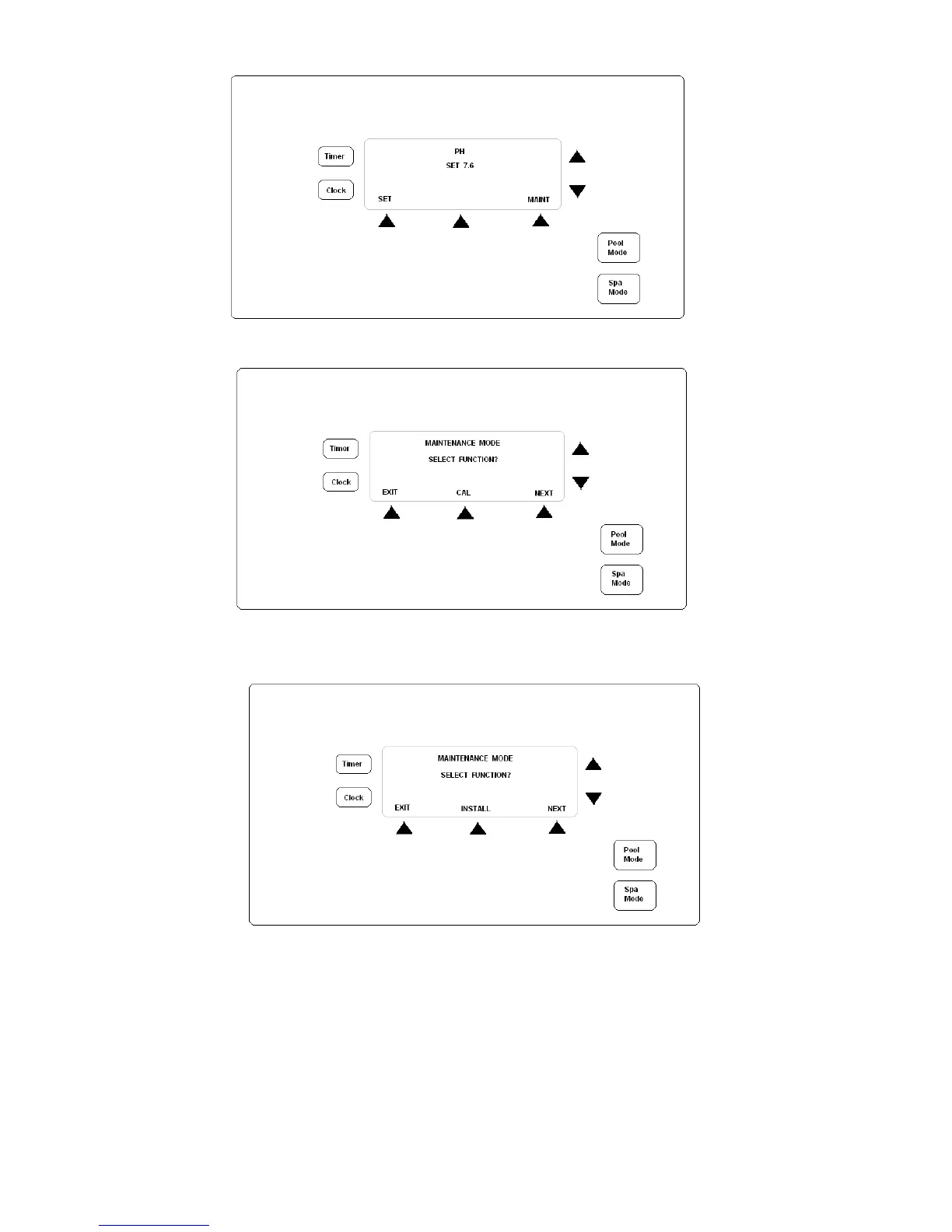
13. Turn power on to the RC9 controller. The main screen will be shown after a short period.
14. Press button located under the “MAINT” option and the following screen will be displayed;
Select the “NEXT” option and the following screen will be shown;
Select the “INSTALL” option
15. “SET WATER VOLUME” will be shown, select YES and adjust volume to match pool. You will need to set levels for
both Pool and Spa. If no spa is attached, just leave spa volume on default size. Press ACCEPT.
16. “CHLORINE SENSOR” (if a chlorine dosing unit) will be shown. You can select either ORP or OPTO-MIZER using
the arrows to the right of the screen.
17. “ENABLE ALARM” allows you to select if an audible alarm will sound if either the ORP, PPM or pH readings go
outside of the minimum or maximum set levels. Choose YES or NO. If YES is selected, you will need to set
maximum and minimum levels before the alarm will sound.


 To Next Page