DIAGRAM
6
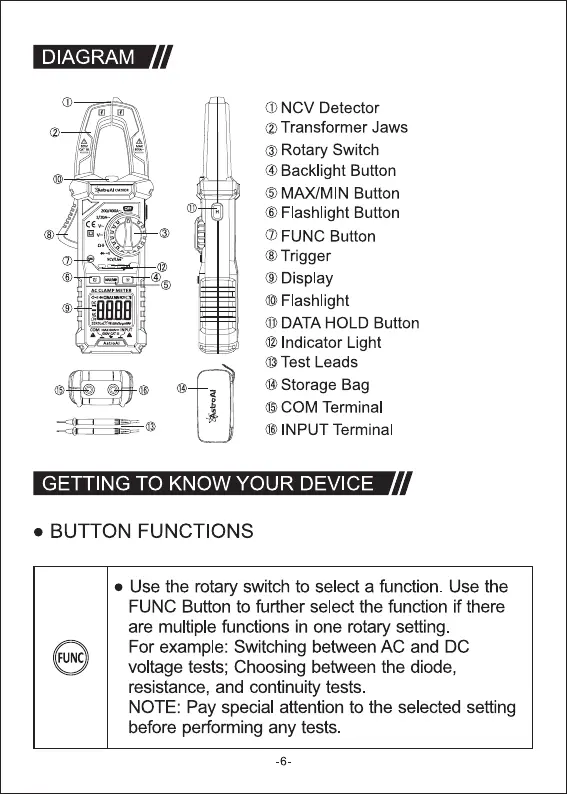
O NCV Detector
@ Transformer Jaws
O Rotary Switch
@ Backlight Button
O MAXIMIN Button
O Flashlight Button
O FUNC Button
O Trigger
O Display
O Flashlight
O DATA HOLD Button
@ Indicator Light
@ Test Leads
@Storage Bag
6 COM Terminal
(D INPUT Terminal
GETTING TO KNOW YOUR DEVICE
BUTTON FUNCTIONS
• Use the rotary switch to select a function. Use the
FUNC Button to further select the function if there
are multiple functions in one rotary setting
For example: Switching between AC and DC
FUNC
voltage tests; Choosing between the diode,
resistance, and continuity tests.
NOTE: Pay special attention to the selected setting
before performing any tests.
-6-



 To Next Page