MULTIMETER DIAGRAM
o
(3
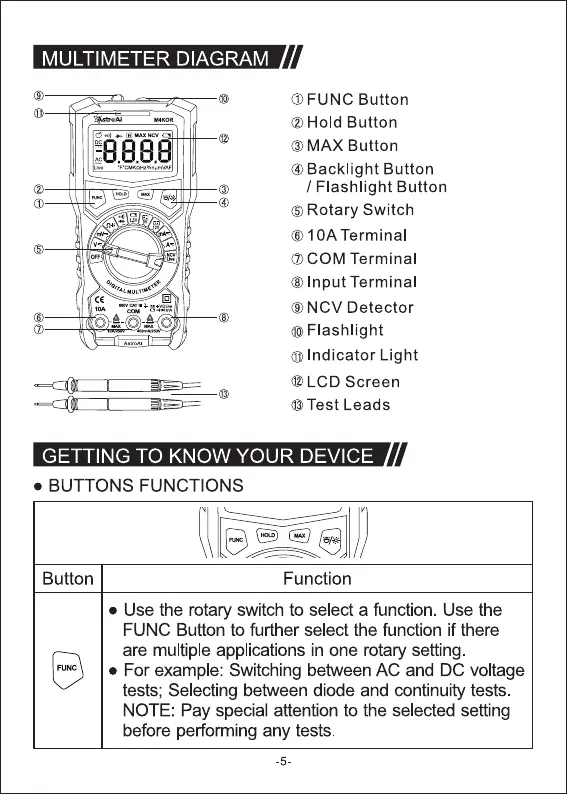
O FUNC Button
@Hold Button
O MAX Button
@Backlight Button
/ Flashlight Button
O Rotary Switch
O IOA Terminal
O COM Terminal
O Input Terminal
ONCV Detector
OFIashlight
O Indicator Light
@ LCD Screen
@Test Leads
GETTING TO KNOW YOUR DEVICE
• BUTTONS FUNCTIONS
Button Function
• Use the rotary switch to select a function. Use the
FUNC Button to further select the function if there
are multiple applications in one rotary setting.
• For example: Switching between AC and DC voltage
tests; Selecting between diode and continuity tests.
NOTE: Pay special attention to the selected setting
before performing any tests.
-5



 To Next Page