6
/
15
Section 3 Installation, Setup,and Operation
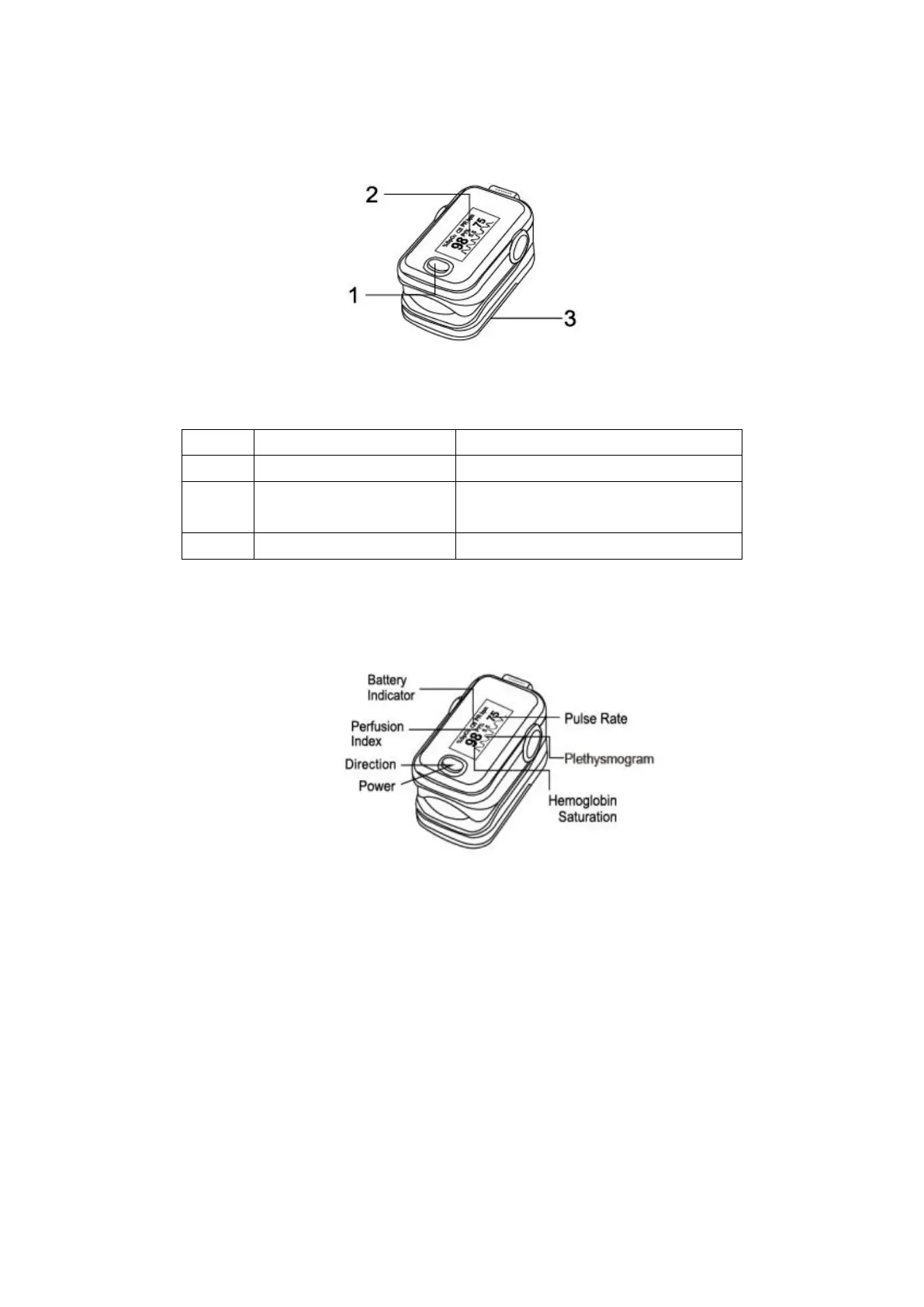
3.1 Description of the Front Panel (as figure 3.1.1)
Figure 3.1.1 Parts of front & back panel
Table 3.1.1 Part Definition and Description
Display the SPO2/PR data &
Plethysmogram
3.2 Display
After switching on, the OLED display of the A310 Pulse Oximeter is as follows:
Figure 3.2.1 OLED display
3.3 Parameter setting
When the device is under measuring interface, press the direction button for 1 second in order to
enter into menu page (figure 3.3.1 and figure 3.3.2). There are two submenus for choice:
3.3.1 Remind Setup
Press the direction button for 1 second and enter into the Reminder Setup. User can adjust the
setting through moving the “*” symbol to the back of the Sound Reminder, Beep, Restore or
Brightness.
Sound Reminder


 To Next Page