8
/
15
2.The customer can preset the limit value to the 98 or 99 to check whether it is normal for sound
reminder setting.
3.If no sound reminder that includes the capability to detect an SpO2 or pulse rate
PHYSIOLOGICAL SOUND REMINDER CONDITION is provided, a statement to that effect
4.The range of the peak wavelengths and maximum optical output power of the light emitted by
the PULSE OXIMETER PROBE and a statement to the effect that information about
wavelength range can be especially useful to clinicians.
3.4 Operation
3.4.1 Install battery
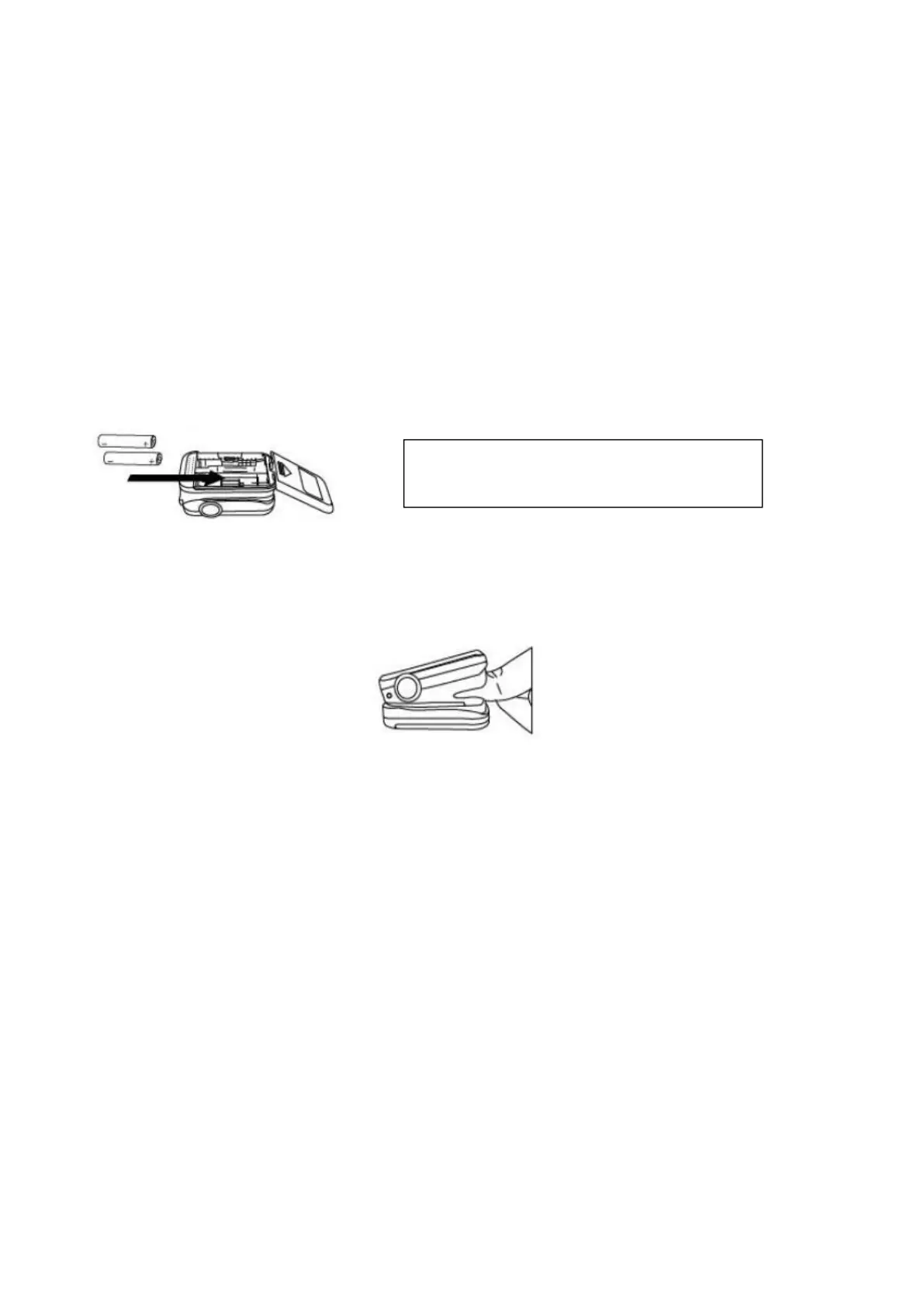
Installing two AAA batteries into battery cassette in correct polarities and cover it.
3.4.2 Turn the Pulse Oximeter on
Put one of fingers into rubber hole of the Pulse Oximeter (it is best to put the finger thoroughly)
with nail surface upward, then releasing the clamp.
Press power button to turn the Pulse Oximeter on. The oximeter will be automatically powered
off when no finger in the device for longer than 16 seconds.
3.4.3 Read correspondent data from display screen.
3.4.4 Display Description of OLED
The display interface of OLED can rotate four directions with six different display modes after
pressing the power button for less than 0.5s. It is shown as below:
WARNING: Do not attempt to recharge
normal alkaline batteries, they may leak
and may cause a fire or even explode.


 To Next Page