Instant Start:
a. Turn on the power. Insert the Safety Key (No. 128) in the meter.
b. Press Start, system enters into 3 seconds countdown and the treadmill makes a beeping
sound. Time/ Program window displays the countdown numbers at the same time.
After the 3 seconds countdown, the treadmill starts at 0.6 MI/H speed.
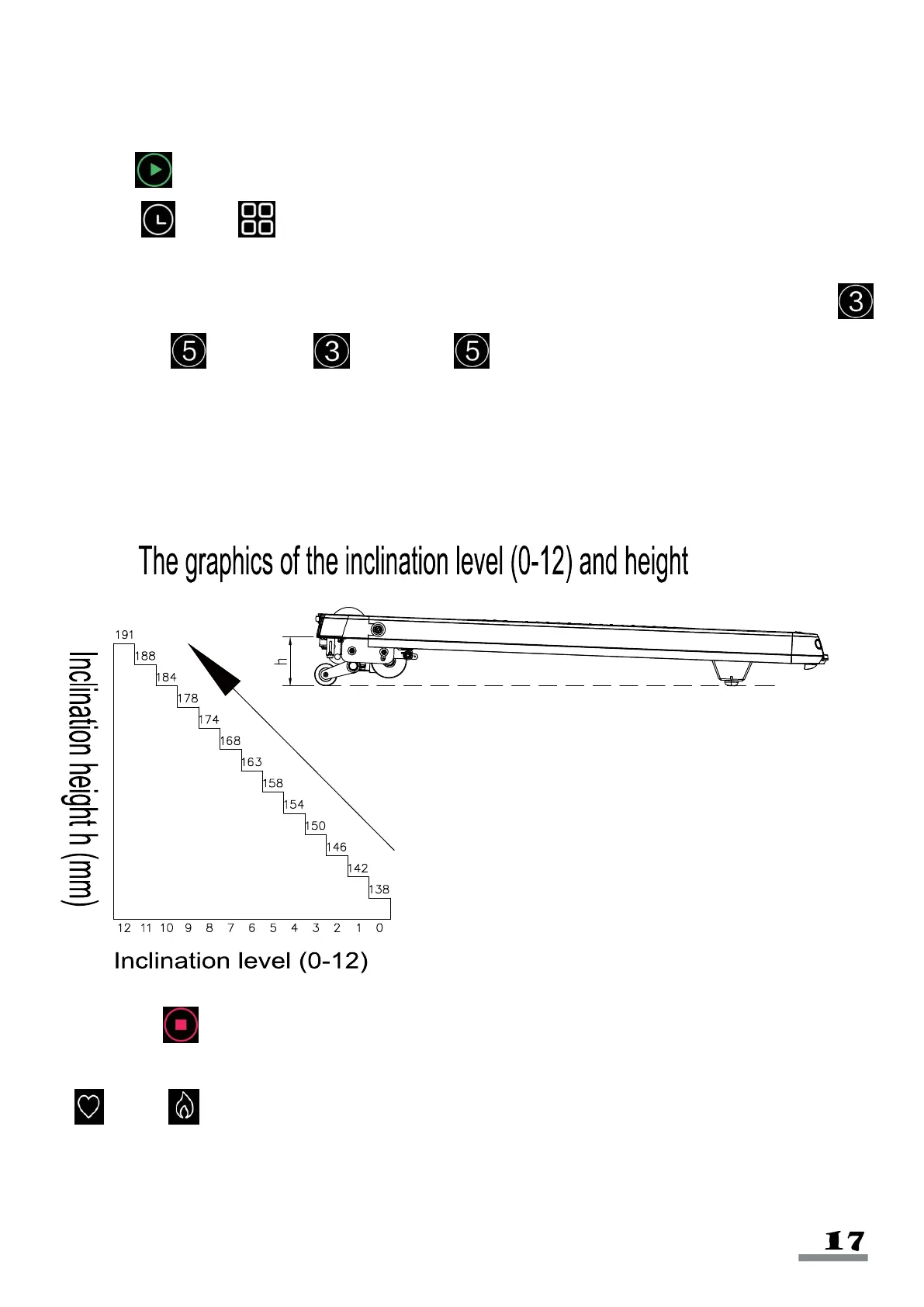
c. After starting, adjust the treadmill speed and incline using handrail buttons. You can use
Incline 3, Incline 5, Speed 3, Speed 5 to adjust the speed and incline to
preset levels.
During the Exercise:
a. Use +/- right handrail buttons to increase/decrease speed. (0.1MI/H increments).
b. Use +/- left handrail buttons to increase/decrease incline.
c. Press the Stop to make the treadmill slow down to a stop.
d. To measure pulse, hold the pulse sensors for 5 seconds, and the pulse icon will light up.
Pulse/ Calorie displays the pulse data.


 To Next Page