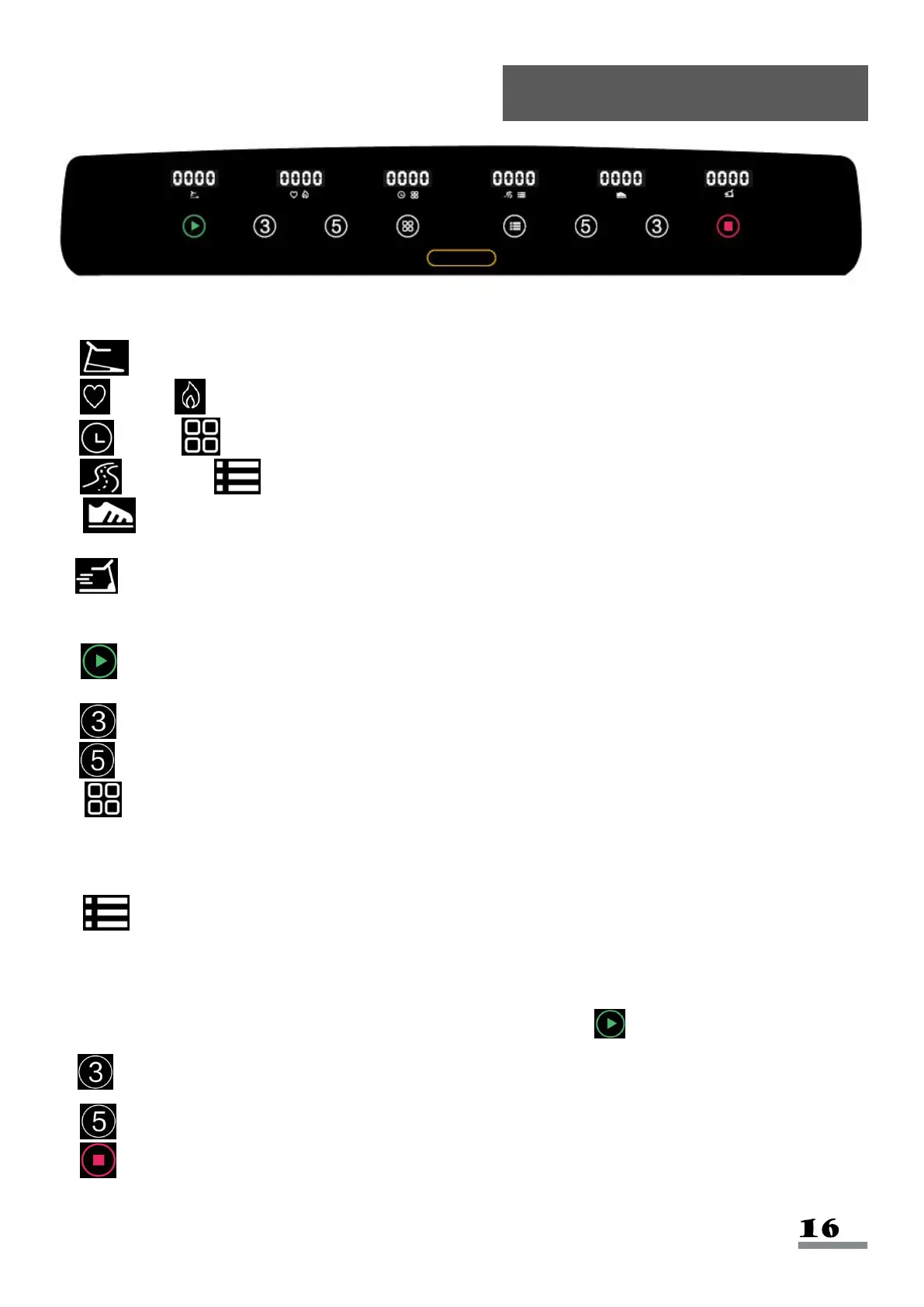
Windows Display:
a. Incline: Displays current incline value.
b. Pulse/ Calorie: Displays current pulse value and the calories burned.
c. Time/ Program: Displays current exercise time and the current program.
d. Distance/ Mode: Displays current exercise distance and current mode.
e. Pedometer: Displays current steps value. Number of steps and number of turns will
display alternately when number of steps is over 10,000; one turn equals to 10,000 steps.
f. Speed: Displays current exercise speed.
Key Functions:
a. Start: When the power is on and Safety Key (No. 128) is on, press this button to start the
treadmill.
b. Incline 3: Set incline at Level 3.
c. Incline 5: Set incline at Level 5.
d. Program: In standby mode, press this button to scroll through programs: 0:00, P1-
P2-...P8, U1-U2-U3. (0:00 is manual mode, P1-P8 is built-in program, U1-U3 is user program.)
Manual mode is the system default operation mode. Manual mode default speed is 0.6 MI/H.
e. Mode: Press to scroll through the functions: 0:00, 30:00, 3.1, 100. (0:00 is manual
mode, 30:00 is time countdown mode, 3.1 is distance countdown mode, 100 is calorie
countdown mode.) When choosing different modes, use handrail speed + and - button to set
corresponding countdown value. After setting the value, press Start to start treadmill.
f. Speed 3: To set the speed at 3 MI/H.
g. Speed 5: To set the speed at 5 MI/H.
h. Stop: To stop the treadmill.


 To Next Page