EasyManua.ls Logo

Asus A31AD - User Manual

Asus A31AD
62 pages
Print Icon
To Next Page IconTo Next Page
Loading...
ASUS Desktop PC
A31AD/F31AD/K31AD
M12AD and M52AD
User Guide
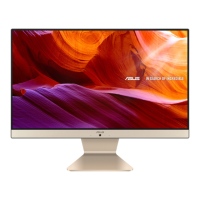
M12AD
M52AD
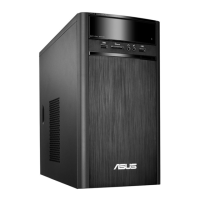
A31AD/F31AD/K31AD

Questions and Answers

  • W
    William MillerSep 9, 2025
    Why is my Asus A31AD too noisy right after turning it on?
    • I
      iancarrilloSep 9, 2025
      If your Asus Desktop is too noisy right after turning on, it is normal. The fan runs on its full speed when the computer is powering on. Restore the BIOS to its default settings. Update the BIOS to the latest version.
  • K
    Kevin BakerAug 22, 2025
    Why is my Asus Desktop system speed too slow?
    • T
      Theresa GrimesAug 23, 2025
      If your Asus Desktop system speed is too slow, close some of the programs that are running. Use an anti-virus software to scan for viruses and repair your computer.
  • M
    Ms. Amanda Diaz MDAug 25, 2025
    What to do if there is no display on my Asus Desktop monitor?
    • O
      owenthomasAug 25, 2025
      If you have no display on your monitor, first check that the monitor is powered on and properly connected to the video output port on your Asus Desktop. If your computer has a discrete graphics card, make sure the monitor is connected to a video output port on that card. Inspect the monitor video connector for bent pins; if found, replace the cable. Finally, ensure the monitor is properly plugged into a power source.
  • S
    Scott WilsonAug 27, 2025
    How to fix Internet connection issues on my Asus A31AD?
    • C
      Catherine VegaAug 27, 2025
      If you cannot access the Internet on your Asus Desktop, first ensure the LAN cable is connected to your computer. Check that the LAN LED is on; if not, try another LAN cable. Verify that your computer is properly connected to a router or hub. Close the anti-virus software. Reinstall the LAN driver.
  • S
    sherryschultzAug 27, 2025
    What to do if my Asus A31AD computer hangs?
    • D
      David MckenzieAug 28, 2025
      If your Asus Desktop computer hangs, simultaneously press the + + keys on the keyboard, then click Task Manager. Alternatively, press and hold the Power button until the computer shuts down, then press the Power button to turn it on again.
  • B
    Beth McneilAug 29, 2025
    Why is my Asus A31AD showing no power?
    • C
      Christine ReynoldsAug 29, 2025
      If your Asus Desktop shows no power, ensure the power cord is properly connected. Press the power key on the front panel to ensure that your computer is turned on. If that doesn't work, set your computer’s power voltage switch to your area’s power requirements.
  • V
    Vanessa BennettSep 18, 2025
    What to do if my Asus A31AD DVD drive cannot read a disc?
    • T
      Travis JonesSep 18, 2025
      If your Asus Desktop DVD drive cannot read a disc, check if the disc is placed with the label side facing up. Check if the disc is centered in the tray, especially for the discs with non-standard size or shape. Check if the disc is scratched or damaged.
  • A
    Anthony MurphySep 18, 2025
    What to do if there is no audio on my Asus Desktop?
    • N
      nicole88Sep 18, 2025
      Refer to your computer’s User Guide for the correct port. Try using another speaker or headphone. Try both the front and back audio ports. Reinstall the audio driver.
  • L
    lisa72Sep 7, 2025
    What to do if my Asus A31AD Desktop doesn't detect my USB storage device?
    • B
      boydericSep 7, 2025
      If your Asus Desktop doesn't detect your USB storage device, wait a while after the first connection for Windows to automatically install a driver. Then, go to My Computer to check if the USB storage device is detected. Connect your USB storage device to another computer to test if the USB storage device is broken or malfunctions.
  • J
    Jessica MarshallSep 4, 2025
    Why do my speakers have no sound on my Asus Desktop?
    • K
      Katherine BenitezSep 4, 2025
      If your speakers are producing no sound, ensure they are connected to the Line out port (lime) on the front or rear panel. Check if the speaker is connected to a power source and turned on, and adjust the speaker's volume. Also, ensure that your computer's system sounds are not muted. Connect your speakers to another computer to test if they are working properly.

Asus A31AD Specifications

General IconGeneral
ChipsetIntel H81
RAMUp to 16GB DDR3
Form FactorTower
ProcessorIntel Core i3/i5/i7
GraphicsIntegrated Intel HD Graphics
StorageUp to 3TB HDD
Optical DriveDVD Super Multi
AudioRealtek ALC887
Networking10/100/1000 Mbps
Operating SystemWindows 8.1
Power Supply300W
USB PortsUSB 2.0, USB 3.0

Related product manuals