Notebook PC User Manual
11
Preparing your Notebook PC
These are only quick instructions for using your Notebook PC.
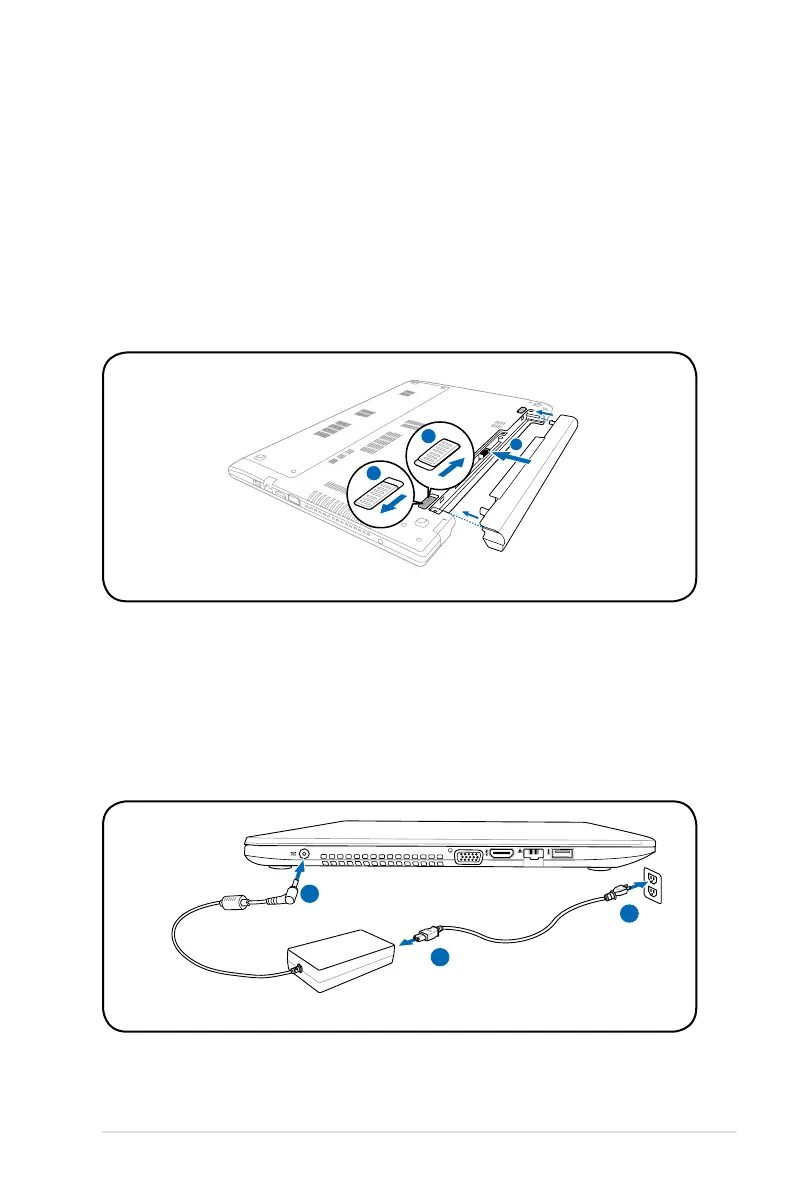
Installing the Battery Pack
A. Move the manual battery lock to the unlocked position.
B. Align and insert the battery pack into the Notebook PC’s battery
slot.
C. Move the manual battery lock back to the locked position after
inserting the battery pack.
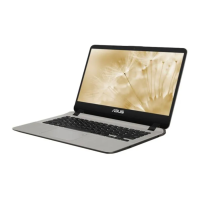
Connecting the AC power adapter
A. Plug the AC power adapter into an electrical outlet (100V-240V)
B. Connect the AC power cord to the AC/DC adapter.
C. Plug the DC power connector into your Notebook PC.



 To Next Page