72
Notebook PC User Manual
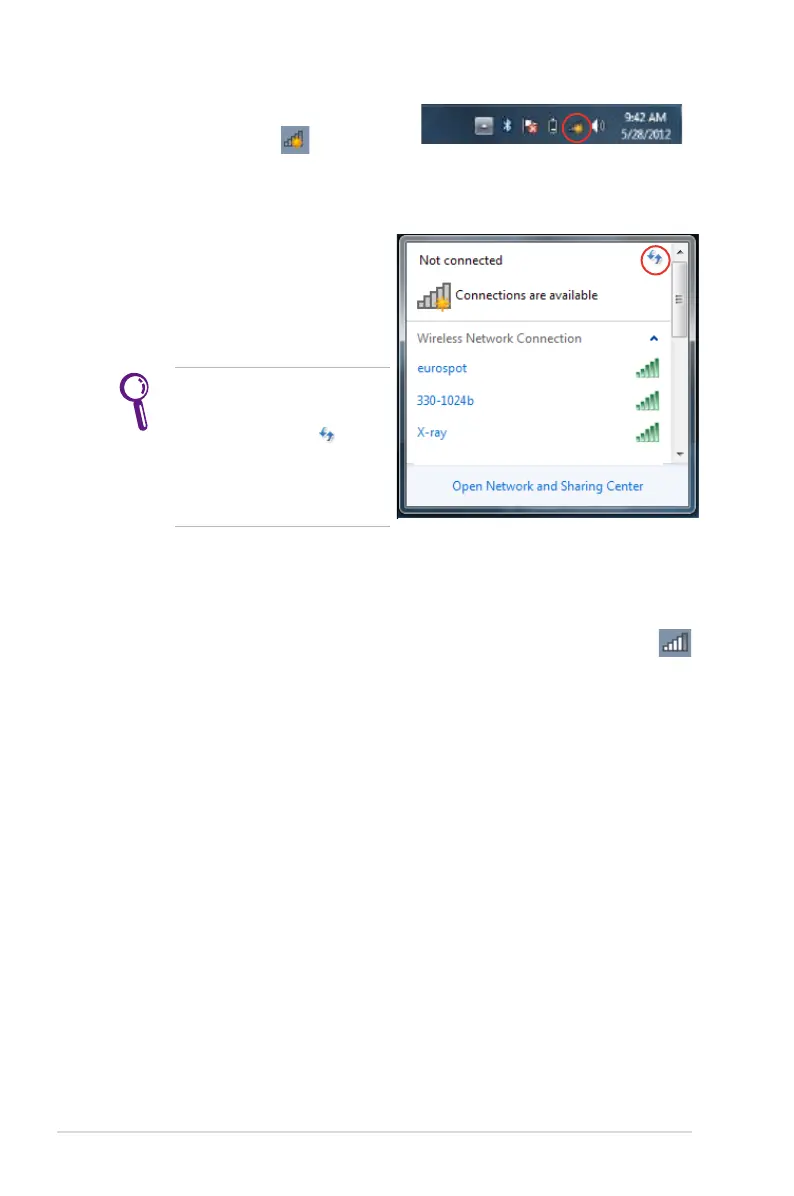
3. Select the wireless access
point you want to connect
to from the list then click
Connect.
If you cannot find the
desired access point, click
the Refresh icon on
the upper right corner to
refresh and search in the
list again.
4. When connecting, you may have to enter a password.
5. After a connection has been established, the connection is
shown on the list and you can see the wireless network icon
on the Windows® Notification area.
2. Click the no wireless network
connection icon on the
Windows® Notification area.



 To Next Page