76
Notebook PC User Manual
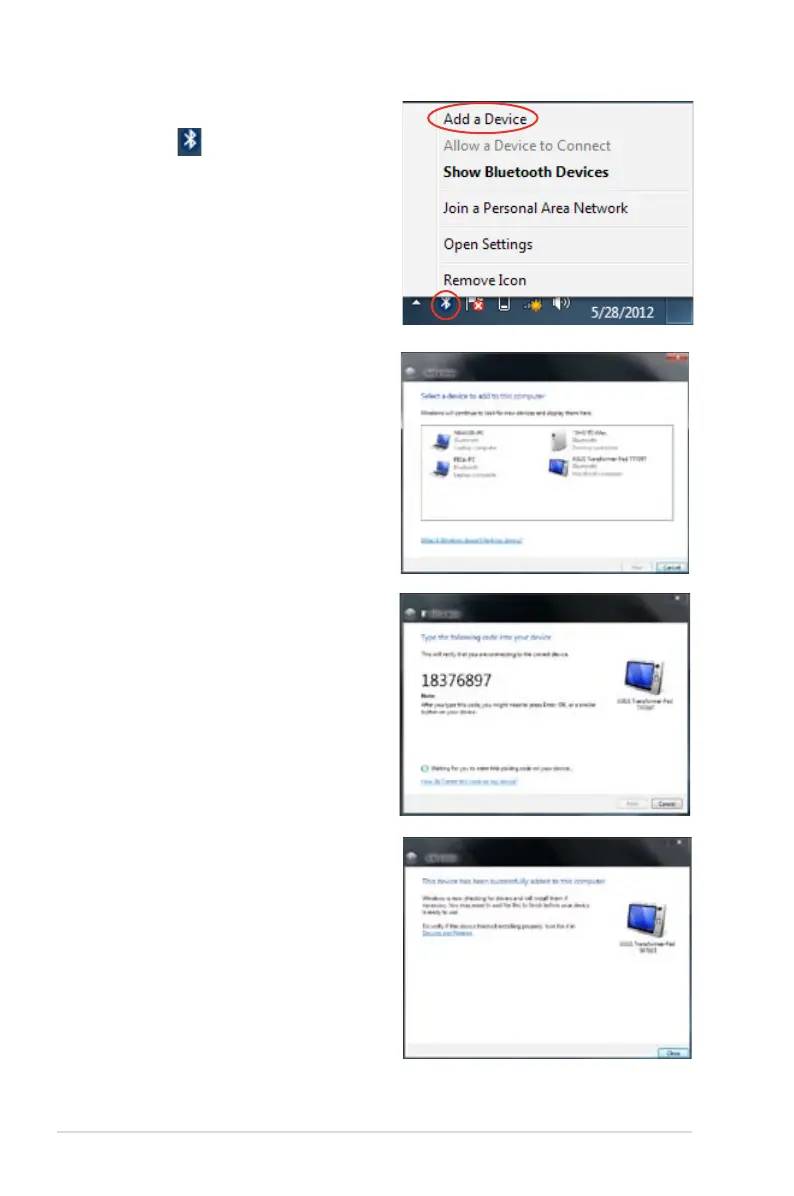
2. Right-click on the Bluetooth
icon on the Windows®
Notification area then select
Add a device.
3. Select a Bluetooth-enabled
device from the list then click
Next.
4. Enter the Bluetooth security
code into your device to start
pairing.
5. Click Close to finish adding
the device.



 To Next Page