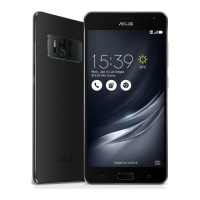
This document describes the ASUS ZenFone A600CG/A601CG, a mobile device running the Android OS with the ASUS Zen UI interface. The Zen UI is designed to be intuitive and includes special applications to enhance user experience.
Function Description
The ZenFone is a smartphone designed for communication, entertainment, and productivity. It features a dual SIM capability, allowing users to manage two micro SIM cards, assign names, and set a preferred network for voice calls and data services. The device supports various communication methods including calls, SMS messages, emails, and social networking. For entertainment, it offers Play Games, Music playback (including streaming from cloud accounts), FM Radio, and advanced camera features for capturing photos and videos. Productivity tools include a browser, email client, calendar, SuperNote for note-taking, File Manager for data organization, and ZenLink apps for file sharing and device control. The device also includes features for travel and maps, such as a Weather app and Clock functions (alarm, stopwatch, timer, world clock).
Important Technical Specifications
While specific hardware details like processor, RAM, and storage capacity are not explicitly listed, the manual highlights several technical aspects:
- Display: The device features a touchscreen with adjustable brightness and supports a "Glove mode" for navigation while wearing gloves. It also offers "Vivid Mode" and "Reading Mode" for display optimization.
- Camera: Equipped with PixelMaster technology, the camera offers features like Low Light mode (up to 400% increased light sensitivity, 200% boosted color contrast), HDR for detailed images in contrasting scenes, Panorama for wide-angle shots, Night mode for low-light conditions, Selfie with face detection (up to four faces), Miniature for tilt-shift effects, Smart Remove for unwanted object removal, All Smiles for capturing the best facial expressions, GIF animation, and Time Lapse video recording. The camera also supports automatic location tagging for images.
- Connectivity: Supports Wi-Fi (802.11 b/g/n, 5150-5250 MHz band for indoor usage), Bluetooth® (for file transfer, tethering, and connecting to accessories), mobile network data (with potential additional charges depending on data plan), and Miracast™ for screencasting to compatible displays. It also supports USB cable connection for PC Link.
- Battery: Features a "Power Saver" app with "Ultra-saving," "Optimized," and "Customized" modes to extend battery life.
- Security: Offers various screen lock options including Slide, Pattern, PIN, and Password.
- SAR Value: The highest CE SAR value for the device is 0.367 W/Kg. The highest FCC SAR value is 1.18 W/kg when placed next to the body.
- Audio: Includes an "Audio Wizard" for customizing sound modes and a "Sound Recorder" app.
- Storage: Supports internal storage, external microSD card storage, and cloud storage (ASUS WebStorage, Drive, OneDrive, Dropbox).
Usage Features
- Zen UI: An intuitive interface with integrated apps.
- Home Screen: Customizable with app shortcuts, widgets, and wallpapers (including animated and background tint options). Supports extended home screens.
- Quick Settings: One-tap access to wireless features and settings (Wi-Fi, Bluetooth, Flashlight, Smart Saving, etc.).
- System Notifications: Displays updates and system changes.
- Easy Mode: Simplified interface with large icons and fonts for easier navigation.
- Do It Later: Manages important tasks, emails, SMS, web pages, and missed calls for later action.
- What's Next: Provides alerts and reminders for events, VIP contacts, and weather updates on the Lock screen, System notifications panel, and widget.
- Browser: Chromium-based engine with text-reflow technology, Smart Reader mode (removes distractions), and bookmarking.
- Email: Supports Exchange, Gmail, Yahoo! Mail, Outlook.com, POP3/IMAP accounts for sending/receiving emails and event invites.
- Calendar: Creates events, sets reminders, and syncs with online accounts.
- SuperNote: Note-taking app with writing, drawing, multimedia integration, and cloud sharing.
- File Manager: Manages files on internal, external, and cloud storage.
- ASUS WebStorage: Free cloud storage with auto-upload for photos.
- Data Transfer: Transfers contacts, calendar entries, SMS from old devices via Bluetooth.
- Phone App: Smart dial, speed dial, extension dialing, call logs, blocking calls, and saving calls to contacts.
- Messaging: Send/reply to SMS, block spam, forward message threads, and set messages as "reply later" tasks.
- Omlet Chat: Open messaging and sharing app with chat rooms, virtual stickers, and cloud storage syncing. Supports Social Hotspot for group chats in a defined radius.
- Music App: Organizes music, creates playlists, streams from cloud accounts, and supports PlayTo for streaming to other devices.
- FM Radio: Listens to local radio stations (requires headset).
- Clock App: World clock, alarm, stopwatch, and timer functions.
- ZenLink: Suite of apps (Party Link, Share Link, PC Link, Remote Link) for sharing files and controlling devices.
- Flashlight: Instant flashlight function accessible from Quick Settings.
- Calculator: Accessible from Quick Settings.
- Quick Memo: Note-taking tool that can be turned into sticky notes.
- Audio Wizard: Customizes sound modes for optimal audio output.
- Splendid: Adjusts display color temperature, hue, and saturation (Vivid Mode, Reading Mode).
- Power Saver: Optimizes battery usage with different modes.
- ASUS Cover: Accessory for quick info glance and answering calls without opening the cover.
Maintenance Features
- System Updates: Checks for and installs Android system and app updates.
- Backup and Reset: Backs up data, Wi-Fi passwords, and settings to Google servers. Offers options for automatic restore and factory data reset.
- Securing Zen Device: Configures screen lock options (Slide, Pattern, PIN, Password) and other security features like Quick Access, What's Next widget, Instant camera, and Owner info on the lock screen.
- Clearing Browser Cache: Deletes temporary internet files to improve browser performance.
- Cleaning Device: Disconnect AC power and use a clean cellulose sponge or chamois cloth for screen cleaning.
- Repair: Send device for repair to ASUS-qualified service personnel only if glass is broken.

 Need help?
 General








 To Next Page