22
3 Getting Started
Front Side
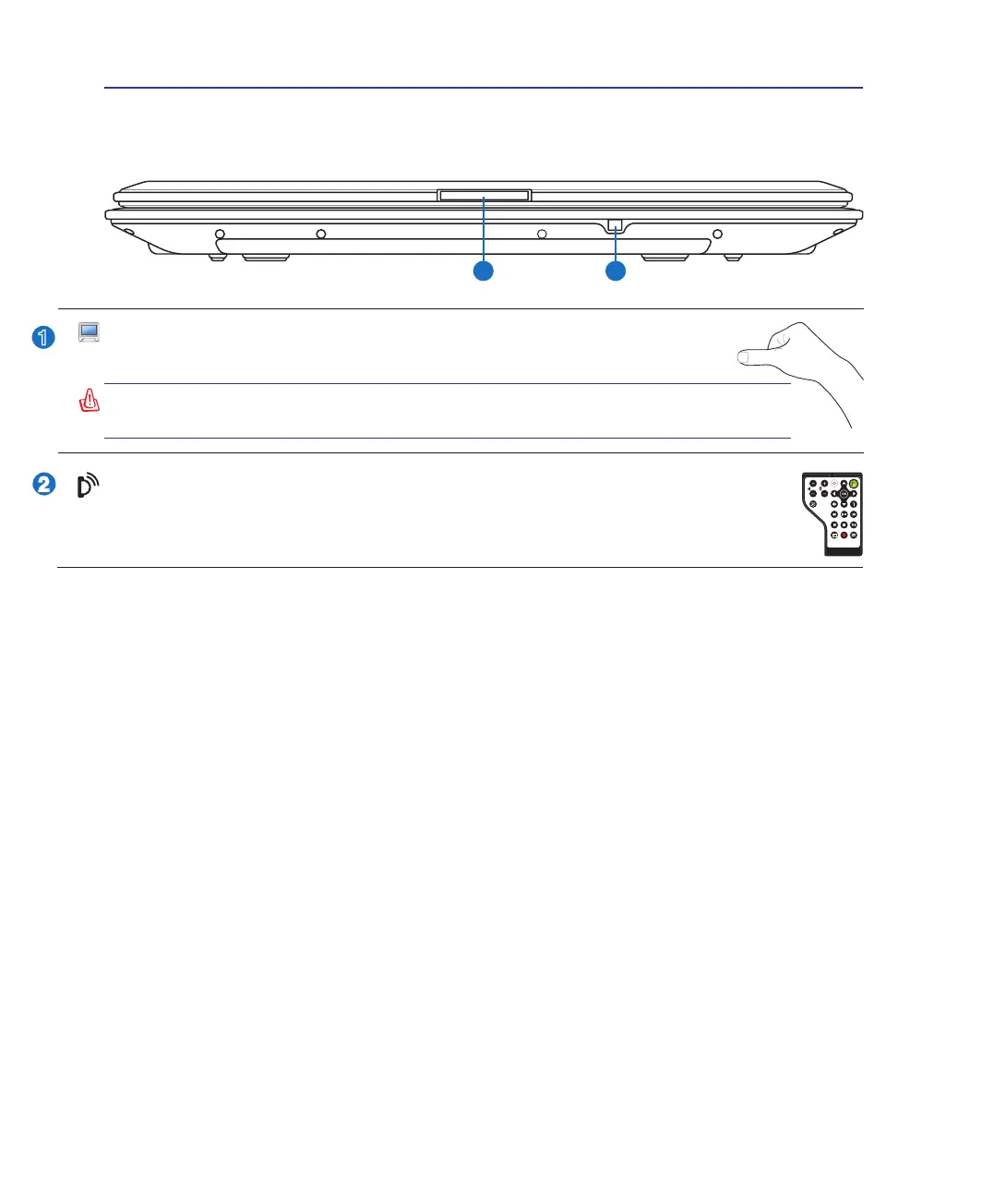
Refer to the diagram below to identify the components on this side of the Notebook PC.
WARNING! When opening, do not force the display panel down to the table or
else the hinges may break! Never lift the Notebook PC by the display panel!
Display Panel Button
Press the display panel button to open the display panel.
CIR (Consumer Infrared) Port (on selected models)
The consumer infrared (IrDA) communication port allows convenient wireless control of the
provided multimedia software in selected models using the provided wireless remote control in
selected models.



 To Next Page