34
3 Getting Started
<000>
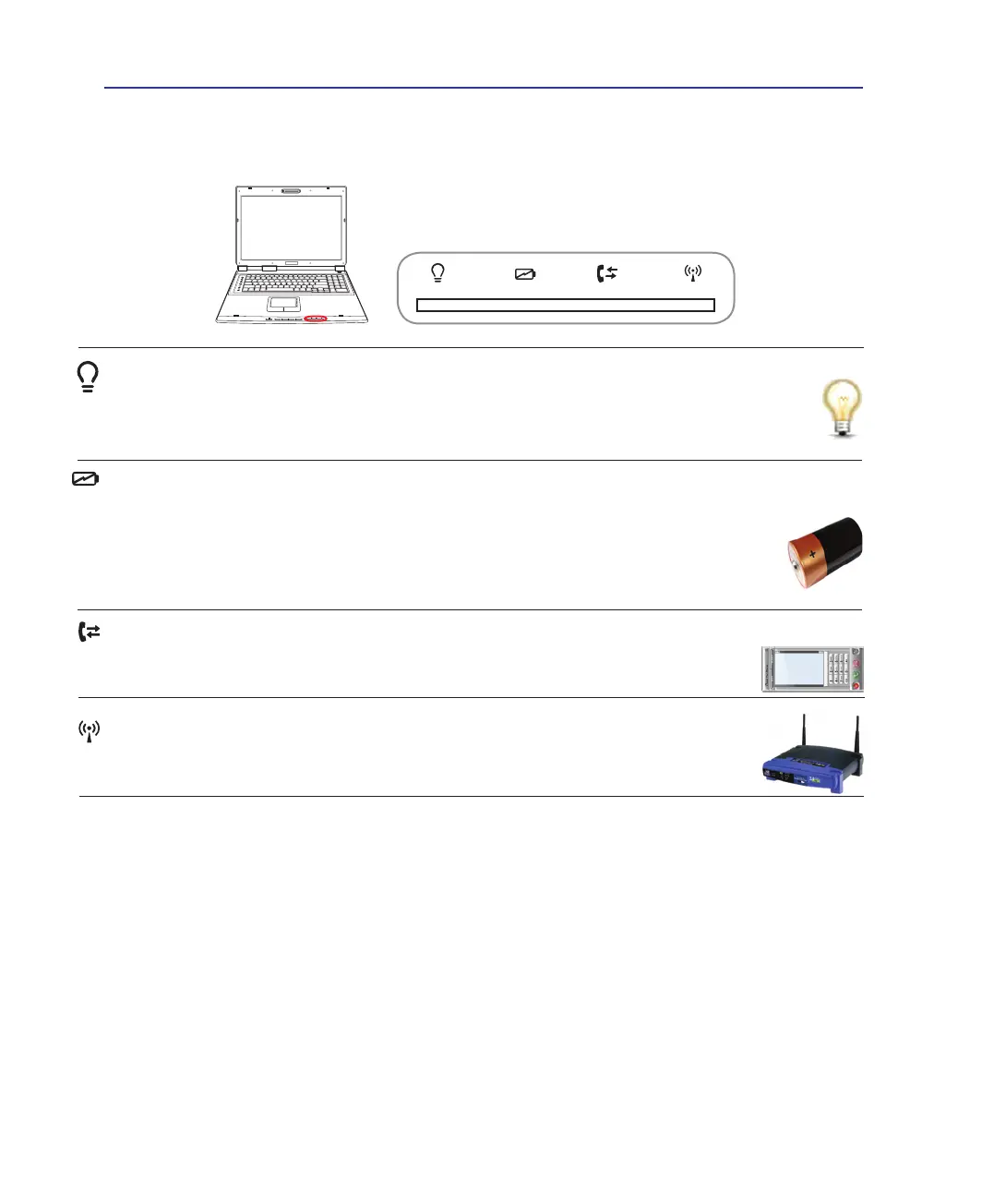
Status Indicators
Battery Charge Indicator
The battery charge indicator shows the status of the battery’s power as follows:
ON: The Notebook PC’s battery is charging when AC power is connected.
OFF: The Notebook PC’s battery is charged or completely drained.
Blinking: Battery power is less than 10% and the AC power is not connected.
Power Indicator
The power indicator lights when the Notebook PC is turned ON and blinks slowly when the Note-
book PC is in the Suspend-to-RAM (Sleep) mode. This indicator is OFF when the Notebook PC
is turned OFF or in the Suspend-to-Disk (Hibernation) mode.
Front
Wireless LAN Indicator
This is only applicable on models with built-in wireless LAN. When the built-in wireless
LAN is enabled, this indicator will light. (Windows software settings are necessary.)
NEXTPREW STOP PLAY / PAUSE
Power For Phone Indicator
The Power For Phone indicator shows the status Internet phone calls through the provided
Power For Phone software.



 To Next Page