18
ASUS A7V User’s Manual
3. HARDWARE SETUP
3. H/W SETUP
Motherboard Settings
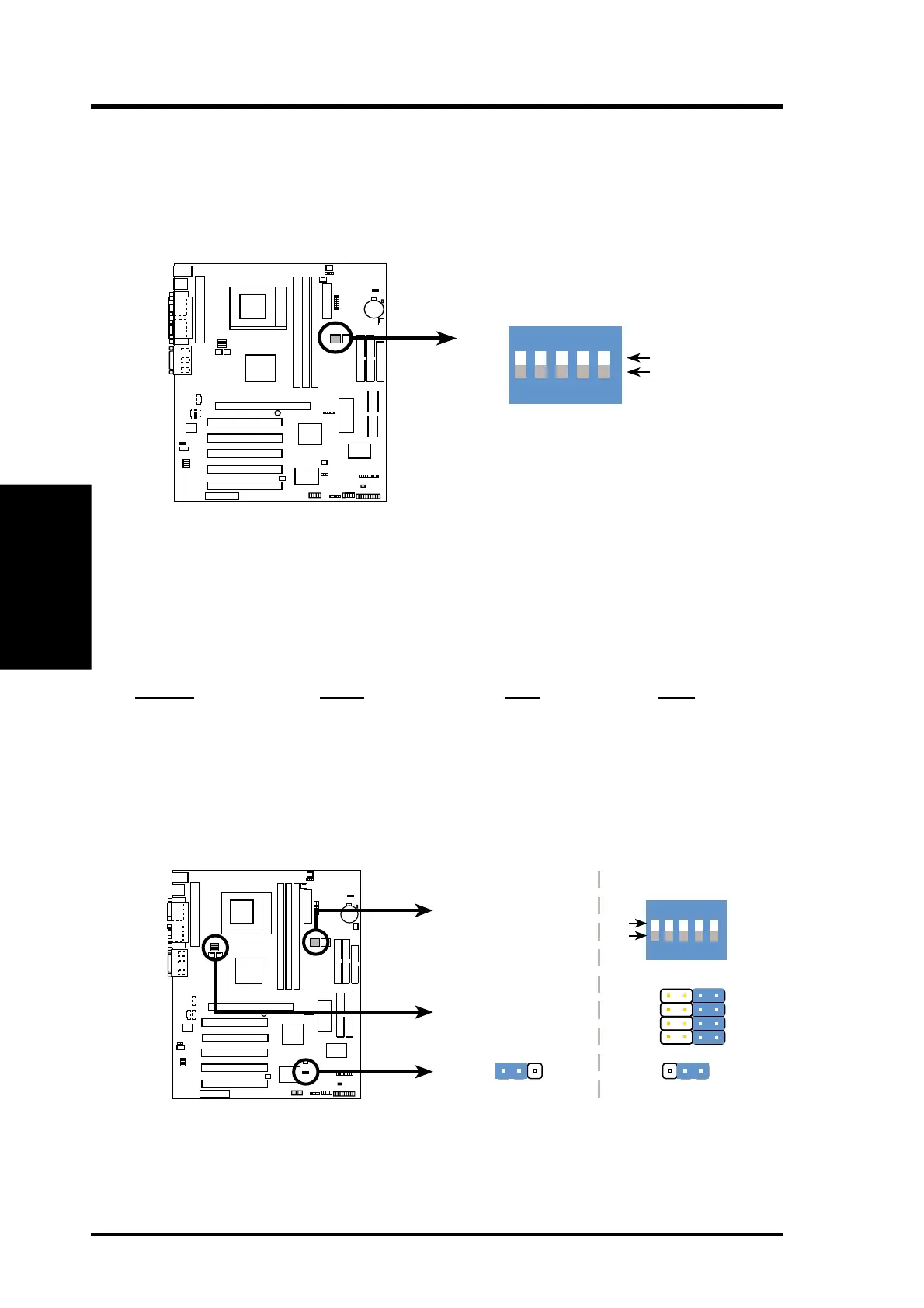
1) Motherboard Features Settings (DIP Switches - DSW)
The motherboard’s onboard functions are adjusted through the DIP switches
The white block represents the switch’s position. The default setting is OFF.
Note:The diagram pictures Printed Circuit Board (PCB) 1.04, which has 5 DIP
switches. PCB 1.02 has 4 DIP switches. The defaults shown below are identical
for both versions.
2) JumperFree™ Mode (JEN)
This jumper allows you to enable or disable the JumperFree™ mode. The
JumperFree™ mode allows processor settings to be made through the BIOS
setup (see 4.4 Advanced Menu).
Setting DSW VID JEN
Jumper Mode (See #6 External (See #8 Voltage [1-2]
Frequency Setting) Regulator Output)
JumperFree™Mode All OFF All [3-4] [2-3](Default)
0 1
0 1
0 1
A7V
A7V Jumper Mode Settings
JEN
VID2
VID3
VID1
VID4
3214
Jumper Mode
12
JumperFree Mode
(Default)
2
3
See Voltage Reg.
Out. (VID)
JEN
ON
ON
1
2
3
4
OFF
DSW
5
See External
Frequency
Setting
1. Frequency Selection
2. Frequency Selection
3. Frequency Selection
4. Frequency Selection
5. Frequency Selection
A7V DIP Switches
ON
OFF
DSW
ON
12
34
0 1
0 1
0 1
A7V
5


 To Next Page