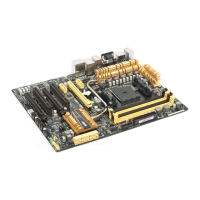
ASUS A8V-E DeluxeASUS A8V-E Deluxe
ASUS A8V-E DeluxeASUS A8V-E Deluxe
ASUS A8V-E Deluxe
4-254-25
4-254-25
4-25
F1:Help ↑↓ : Select Item -/+: Change Value F5: Setup Defaults
ESC: Exit →←: Select Menu Enter: Select Sub-menu F10: Save and Exit
Select Menu
Item Specific Help
USB Configuration
OnChip USB Controller [Enabled]
OnChip EHCI Controller [Enabled]
USB Legacy support [Enabled]
Phoenix-Award BIOS CMOS Setup Utility
Advanced
4.4.54.4.5
4.4.54.4.5
4.4.5
USB ConfigurationUSB Configuration
USB ConfigurationUSB Configuration
USB Configuration
The items in this menu allows you to change the USB-related features.
Select an item then press <Enter> to display the configuration options.
OnChip USB Controller [Enabled]OnChip USB Controller [Enabled]
OnChip USB Controller [Enabled]OnChip USB Controller [Enabled]
OnChip USB Controller [Enabled]
Allows you to enable or disable the onchip USB controller.
Configuration options: [Disabled] [Enabled]
OnChip EHCI Controller [Enabled]OnChip EHCI Controller [Enabled]
OnChip EHCI Controller [Enabled]OnChip EHCI Controller [Enabled]
OnChip EHCI Controller [Enabled]
Allows you to enable or disable the onchip Enhanced Host Controller
Interface (EHCI) controller. Configuration options: [Disabled] [Enabled]
USB Legacy Support [Enabled]USB Legacy Support [Enabled]
USB Legacy Support [Enabled]USB Legacy Support [Enabled]
USB Legacy Support [Enabled]
Allows you to enable or disable support for USB devices on legacy
operating systems (OS). Configuration options: [Disabled] [Enabled]



 To Next Page