Method three: Using Bluetooth keyboard and mouse
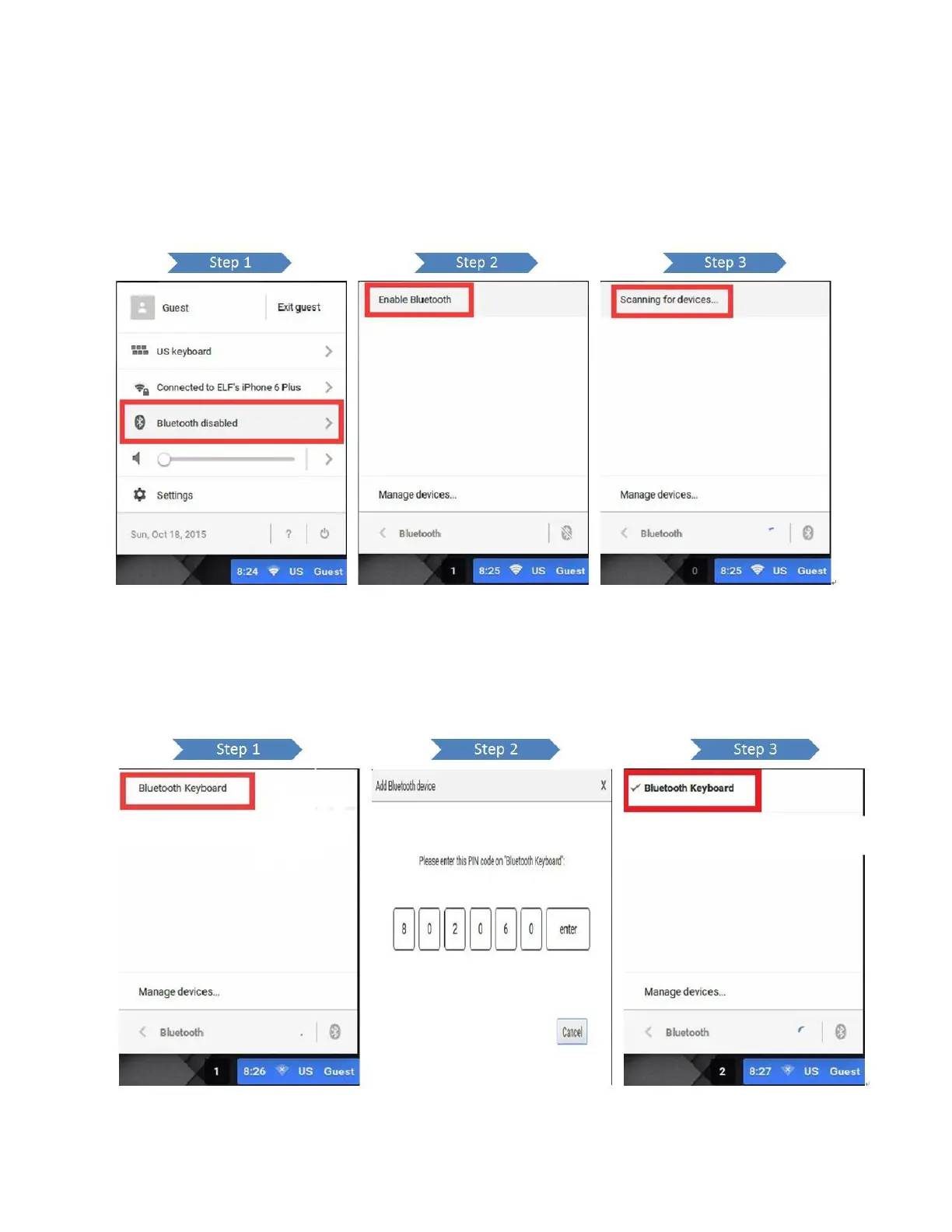
1. Put mouse in the right bottom of the screen and one click in the corner, and then enable Bluetooth function. It will search
for available devices automatically.
2. Select the exact Bluetooth keyboard to pair with Chromebit and enter a passcode into the Bluetooth keyboard according to
the screen.
After a while, Bluetooth keyboard paired with Chromebit successfully.


 To Next Page