ASUS CUV4X-E User’s Manual 41
3. HARDWARE SETUP
Connectors
3. H/W SETUP
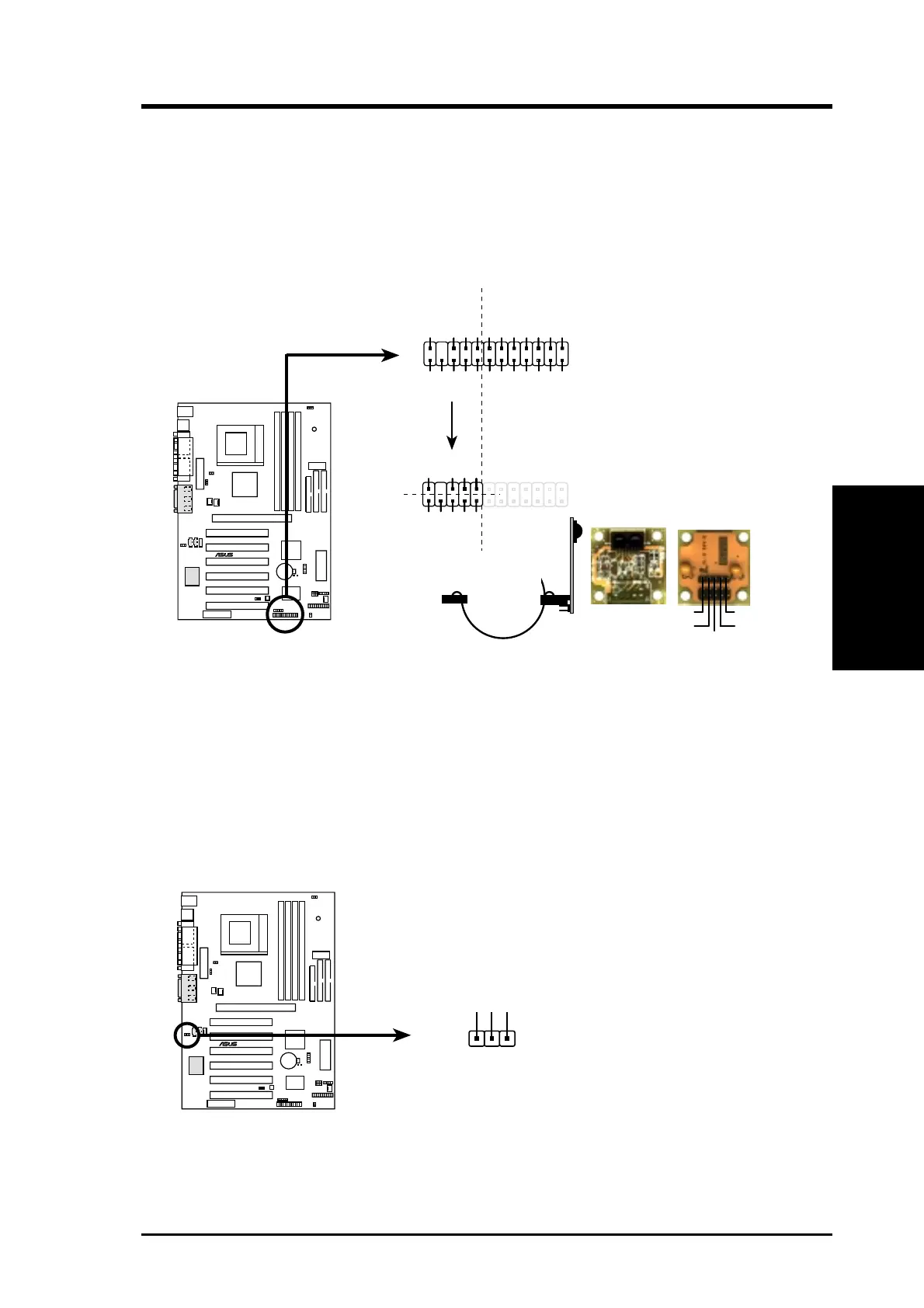
13) ASUS iPanel Connector (12-1 pin AFPANEL)
This connector allows you to connect an optional ASUS iPanel, an easy-to-access
drive bay with front I/O ports, status LEDs, and space reserved for a hard disk
drive. If you are not using an ASUS iPanel, you can connect an optional wireless
transmitting and receiving infrared module to the SIR connector .
14) Internal Microphone Connector (3-pin MIC2) (optional)
This connector allows you to connect a chassis-mounted microphone to the
motherboard instead of connecting an external microphone to the ATX connector.
CUV4X-E
®
CUV4X-E Internal Microphone Connector
MIC Power
13
MIC Input
Ground
MIC2
CUV4X-E
®
CUV4X-E Front Panel Connectors
NC
CHASSIS#
+5 V
PCIRST#
EXTSMI#
MLED-
NC
BATT
NC
SMBDATA
GND
+3VSB
IRRX
IRTX
LOCKKEY
NC
NC
+5V SMBCLK
NC
NC
NC
NC
NC
NC
AFPANEL
Standard Infrared (SIR)
Front View Back View
+5V
IRTX
IRRX
(NC)
GND
NC
+5 VNC
GND
IRRX
IRTX
SIR
IR_CON
NOTE: The internal microphone does not work if there is an external
microphone connected to the external Mic (pink) jack. You may only use
one microphone at a time.


 To Next Page