ASUS CUV4X-E User’s Manual68
4. BIOS SETUP
4. BIOS SETUP
PCI Configuration
USB Function [Enabled]
Set this field to [Enabled] if you want to use Universal Serial Bus devices.
Configuration options: [Disabled] [Enabled]
Primary VGA BIOS [PCI Card]
This field allows you to select the primary graphics card. Configuration
options: [PCI Card] [AGP Card]
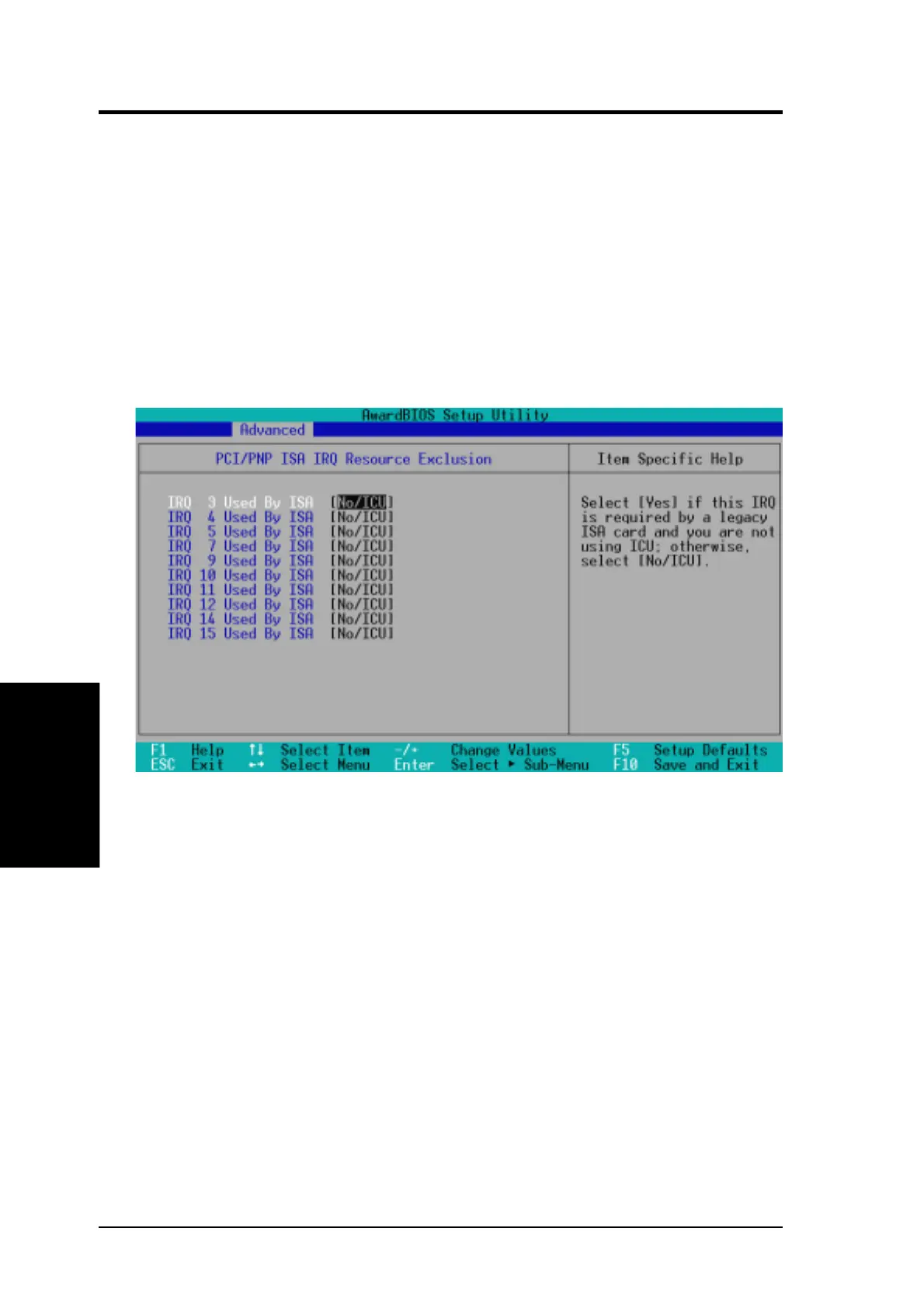
IRQ XX Used By ISA [No/ICU]
These fields indicate whether or not the displayed IRQ for each field is
being used by a legacy (non-PnP) ISA card. The setting [No/ICU] for an
IRQ field indicates that you are using the ISA Configuration Utility (ICU),
and that this particular IRQ is NOT required by a legacy ISA card. Set the
IRQ field to [Yes] if you install a legacy ISA card that requires a unique IRQ
and you are NOT using ICU. Configuration options: [No/ICU] [Yes]
PCI IRQ Resource Exclusion


 To Next Page