ASUS CUV4X-E User’s Manual66
4. BIOS SETUP
4. BIOS SETUP
I/O Device Config
Parallel Port Mode [ECP+EPP]
This field allows you to set the operation mode of the parallel port. [Normal] allows
normal-speed operation but in one direction only; [EPP] allows bidirectional parallel
port operation; [ECP] allows the parallel port to operate in bidirectional DMA mode;
[ECP+EPP] allows normal speed operation in a two-way mode. Configuration options:
[Normal] [EPP] [ECP] [ECP+EPP]
ECP DMA Select [3]
This field allows you to configure the parallel port DMA channel for the selected ECP
mode. This selection is available only if you select [ECP] or [ECP+EPP] in Parallel
Port Mode above. Configuration options: [1] [3] [Disabled]
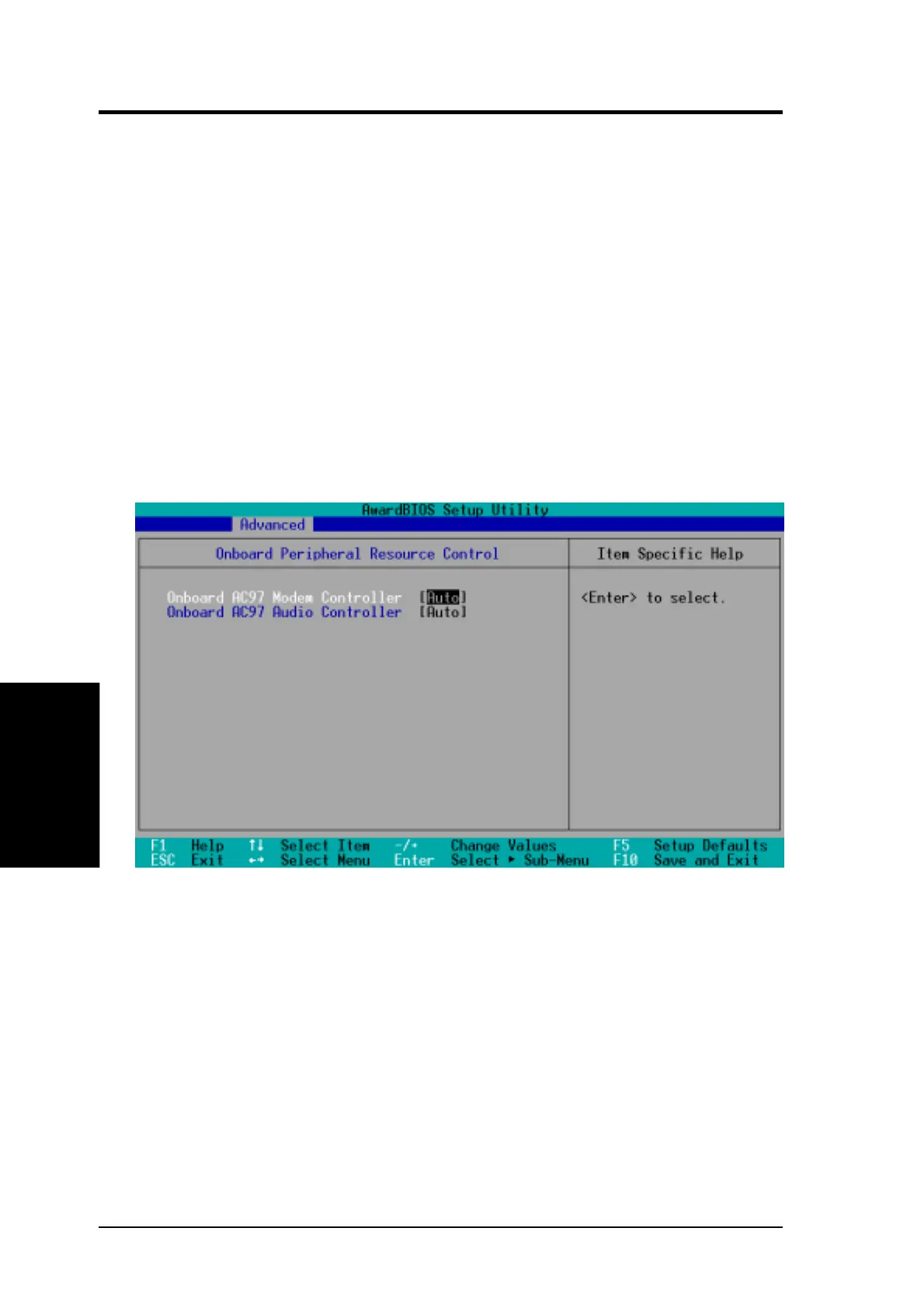
Onboard Peripheral Resource Control
Onboard AC97 Modem Controller [Auto]
Onboard AC97 Audio Controller [Auto]
The setting [Auto] allows BIOS to detect whether you installed a modem
or audio device. If BIOS detects a modem/audio device, it automatically
enables the onboard modem/audio controller, otherwise, it disables the
onboard modem/audio controller. If any conflicts occur, set these fields to
[Disabled]. Configuration options: [Disabled] [Auto]


 To Next Page