16
Notebook PC User Manual
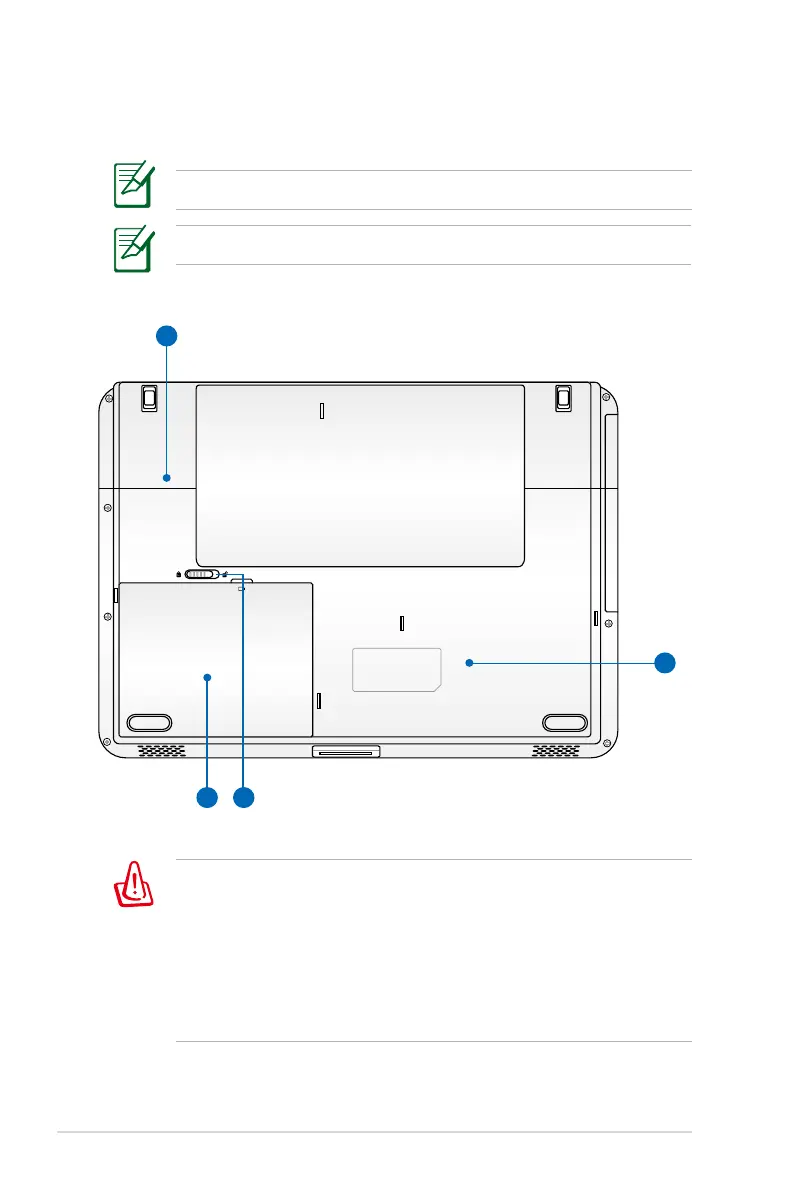
Bottom Side
The bottom side may vary in appearance depending on model.
The battery pack size varies depending on model.
WARNING! The bottom of the Notebook PC can get very hot. Be
careful when handling the Notebook PC while it is in operation
or recently been in operation. High temperatures are normal
during charging or operation. Do not use on soft surfaces such
as beds or sofas which may block the vents. DO NOT PUT THE
NOTEBOOK PC ON YOUR LAP OR OTHER PARTS OF THE BODY TO
AVOID INJURY FROM THE HEAT.



 To Next Page