50
Notebook PC User Manual
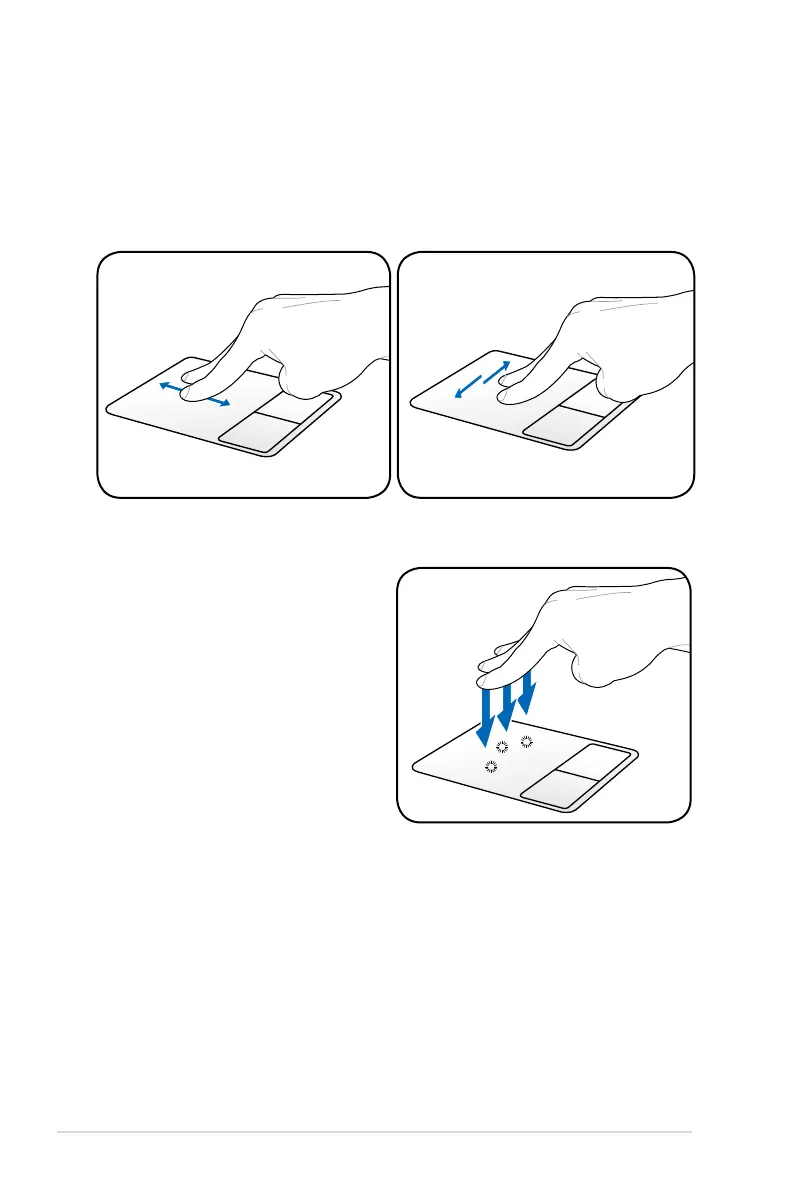
Two-finger scrolling - Use two fingertips to slide up/down/left/
right on the touchpad to scroll a window up/down/left/right. If your
display window includes several sub-windows, move the pointer on
that pane before scrolling.
Scrolling
vertically
Scrolling
horizontally
Three-finger tapping - Use three
fingers to tap the touchpad. This
action mimics the right-click
function of a mouse.



 To Next Page