ASUS Eee PC
3-7
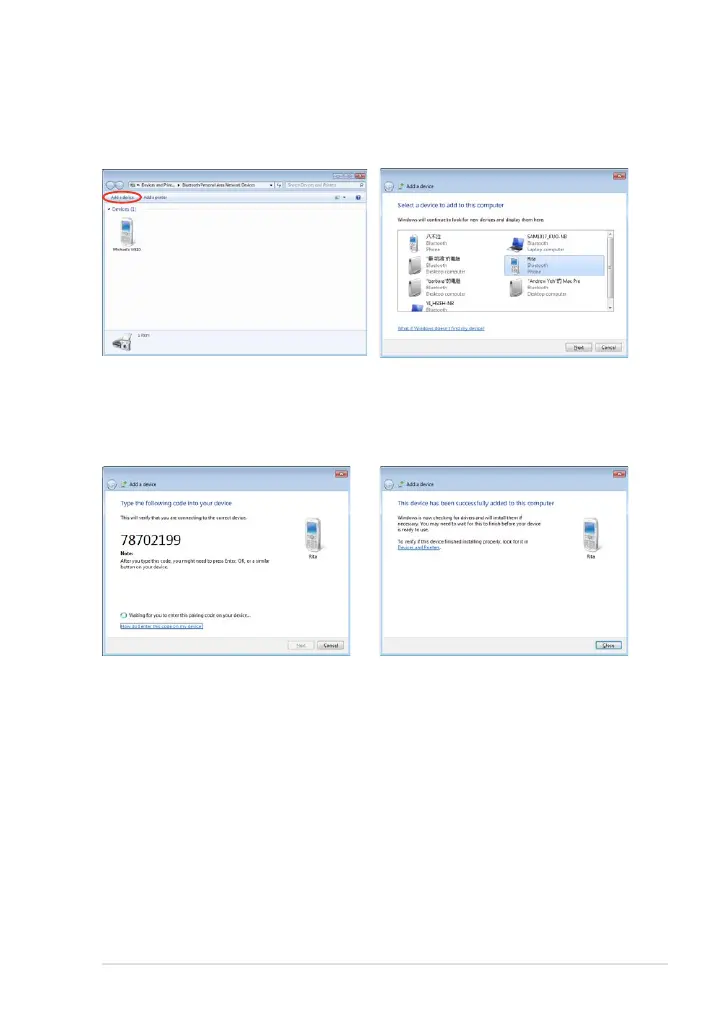
4. Click Add a device to look for
new devices.
5. Select a Bluetooth-enabled
device from the list and click
Next.
6. Enter the Bluetooth security
code into your device and
start pairing.
7. The paired relationship is
successfully built. Click Close
to finish the setting.













 To Next Page