Quick Use Guide - 4
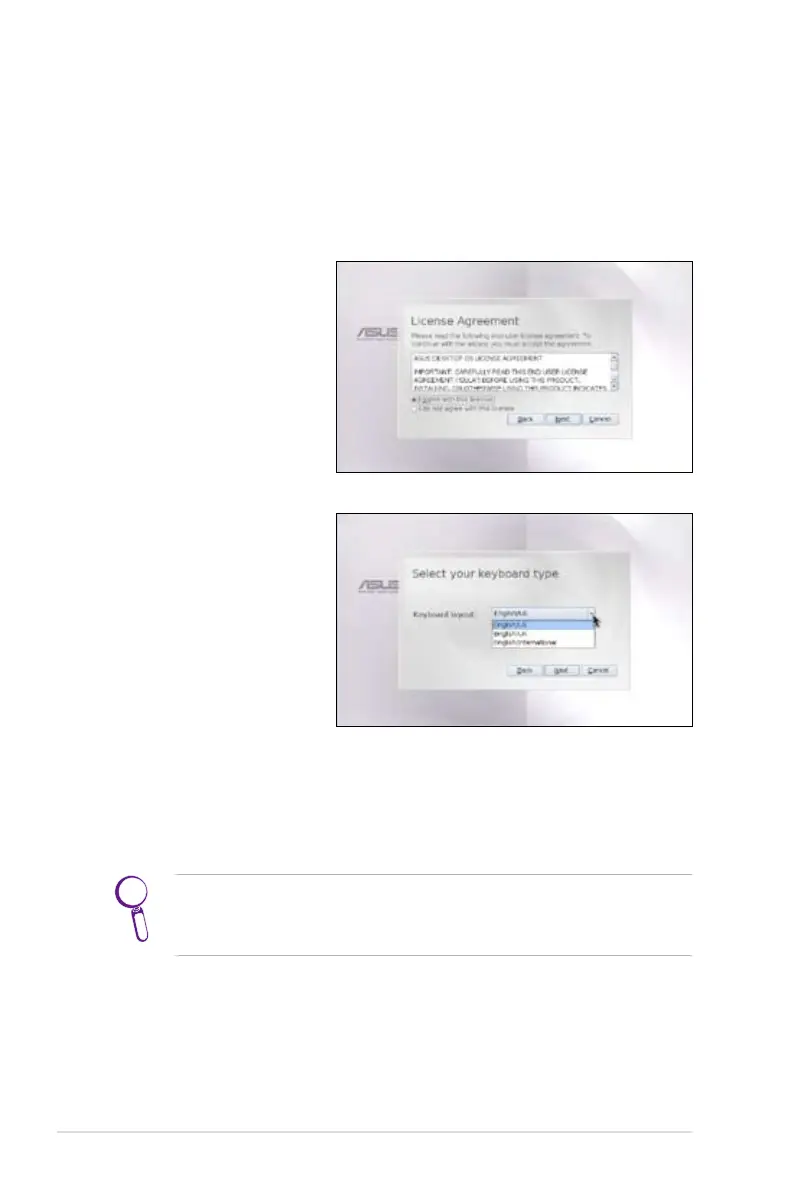
Launching First Run Wizard
For the first time you start your Eee PC, the First Run Wizard will
auto-launch and lead you through setting up your preferences and
some basic information. Follow the wizard instructions to finish the
initiation.
1. Toggle I agree with
this license and click
Next to continue.
ASUS Eee PC also supports Windows® XP operating system. Refer
to user guide for detailed instructions and notices on installing
the WinXP SP2 32 bit operating system.
3. Follow the on-screen instructions to complete the first run
wizard.
2. Select your keyboard
type and click Next
to continue.













 To Next Page