Quick Use Guide - 5
Conguring a network connection
Wireless network
connection
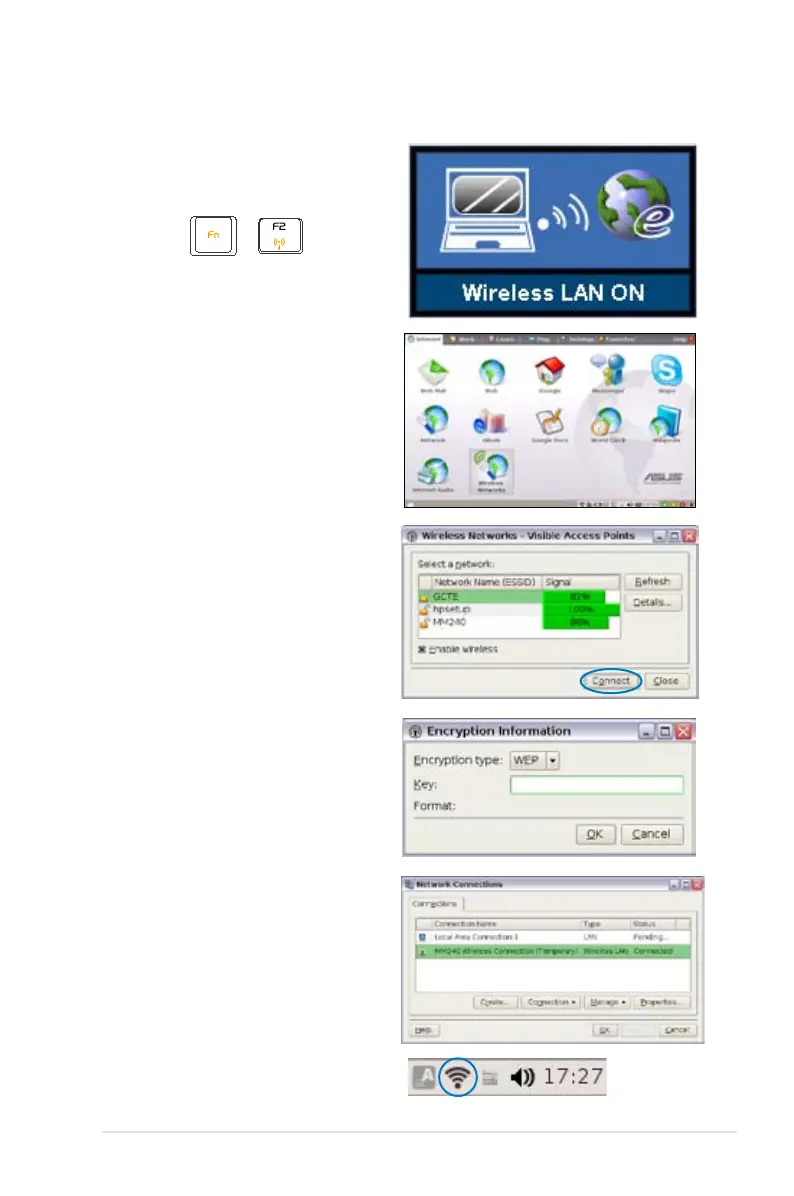
1. Press + (<Fn> +
<F2>) to activate the wireless
LAN function.
4. When connecting, you may
have to enter a password.
5. After a connection has been
established, the connection
is shown on the list.
3. Select the wireless access
point you want to connect
to from the list and click
Connect to build the
connection. Ensure that the
box before Enable wireless
is checked.
6. And you can see the wireless
signal strength bars on the OS
taskbar.
2. Click Wireless Networks
from Internet tab.













 To Next Page