Quick Use Guide - 6
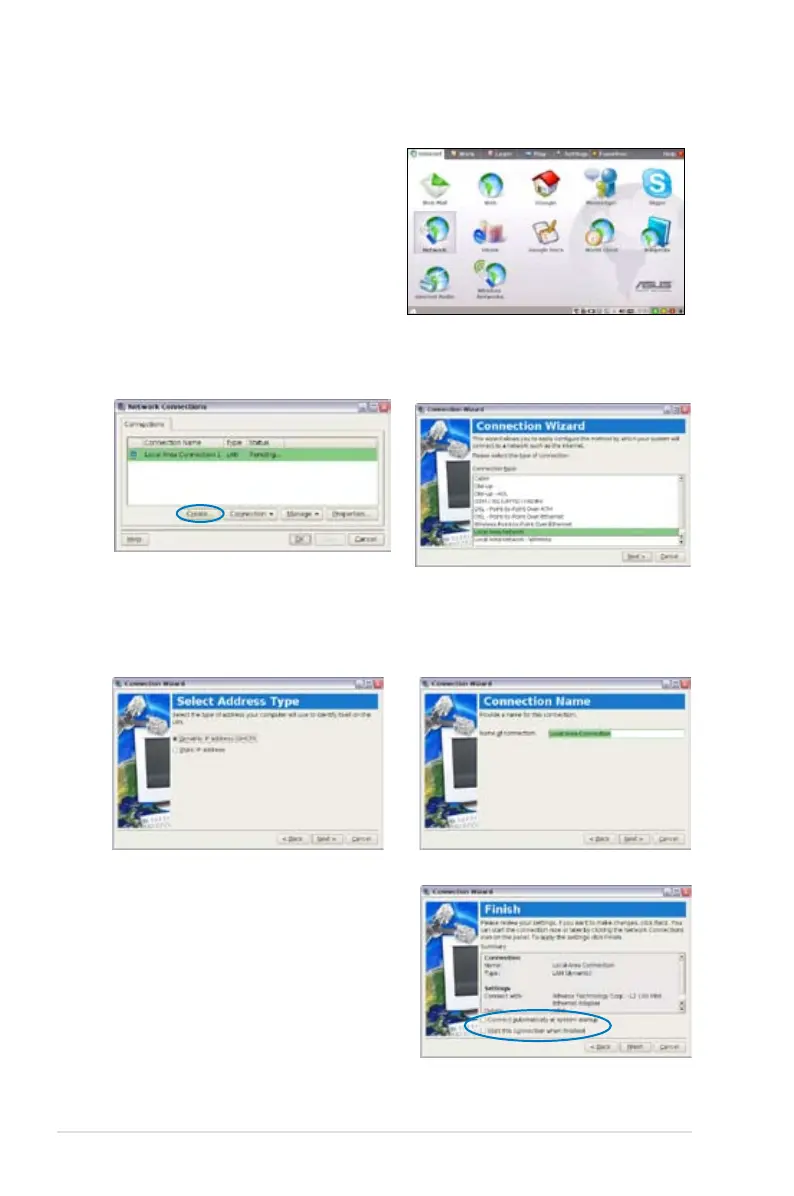
Using a dynamic IP:
1. From the Internet tab,
select Network to start the
configuration.
Local Area Network
3. Select the type of connection
you are using and click Next.
4. Toggle the first option
Dynamic IP address (DHCP)
and click Next.
2. Click Create to create a
network connection.
5. Enter a name for this
connection and click Next.
6. Click Finish to apply the
settings or click Back to make
changes. Click the box before
Connect automatically at
system startup or before the
box Start this connection
when finished based on your
needs.













 To Next Page