Service overview
1 - 8
Service Overview
Please pay special attention to the cautions below to prevent any damages to the Eee PC 4G (701)
and also please be sure to select the appropriate tools described in this section to perform any
services desired.
Precautions
Before you perform any service and or repair on the Eee PC 4G (701), please follow the steps
below first.
1. Be sure that the Eee PC 4G (701) is powered down.
2. Disconnect the AC plug from the Eee PC 4G (701)
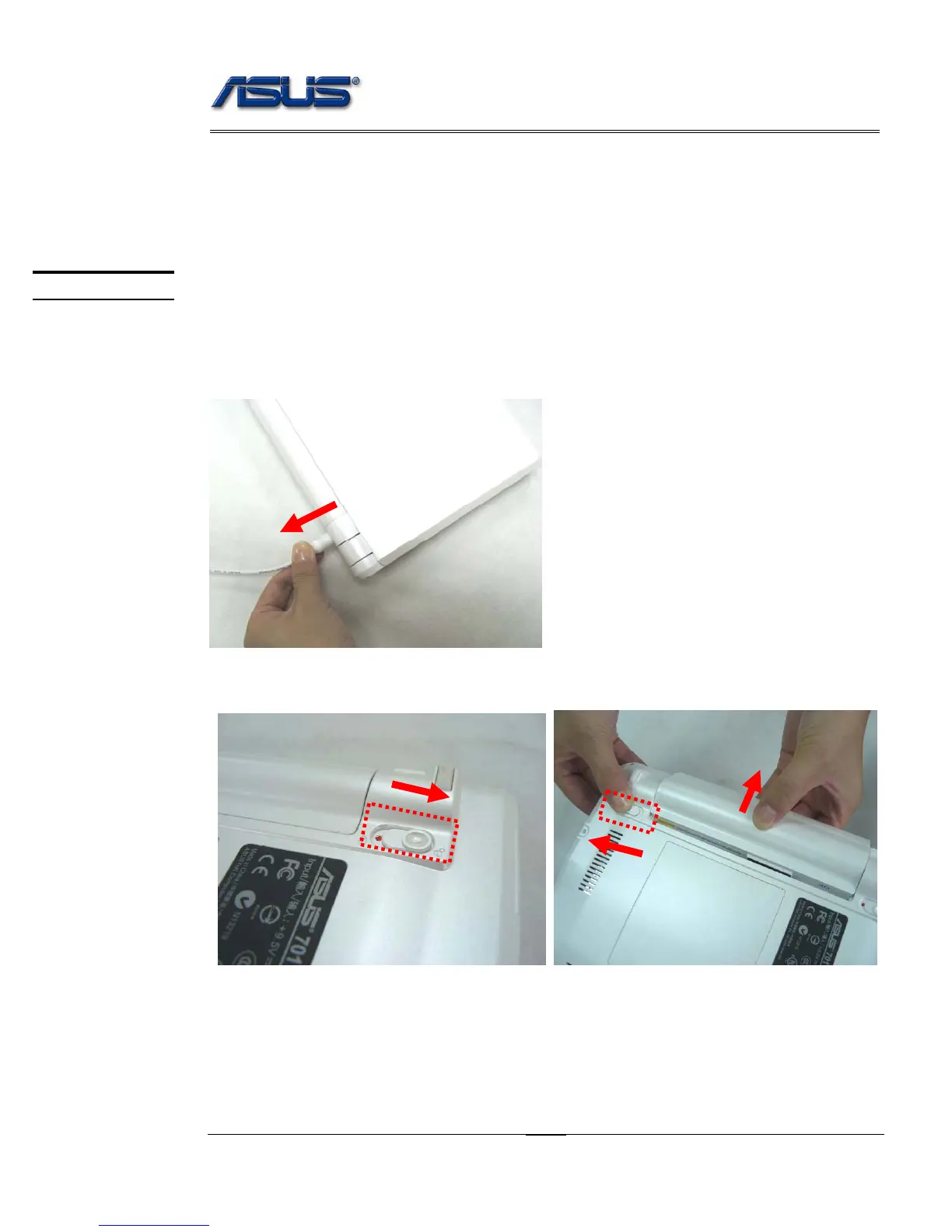
3. Turn the Eee PC 4G (701) over. Unlock latch 1 towards the direction of arrow and then
unlock and hold the latch 2 to remove the battery.
4. Remove all rings, watches and any other metal objects from your hands.
CAUTIONS
1
2











 To Next Page