Software Specification
6-12
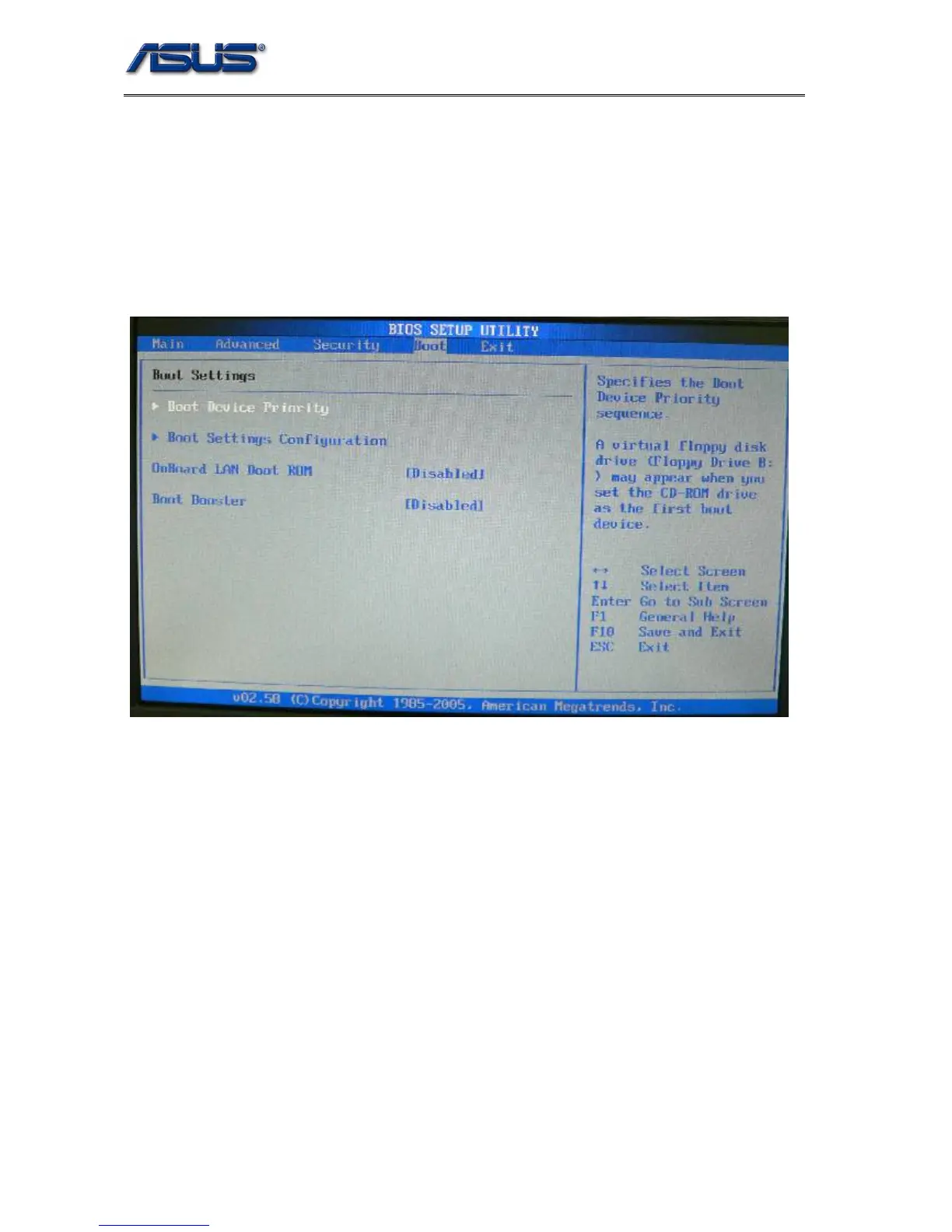
5.4 Boot Menu
In this menu users can decide the boot sequence, as long as the device with highest boot
priority exists, system BIOS will boot from it, device boot priority is adjusted by pressing
“+”,”-“ or space key on the selected (highlighted) item. 3 bootable devices fare listed in this
menu (BIOS default boot sequence).
1. Boot Device Priority: See 5.6.1
2. Boot Settings Configuration: See 5.6.2
3. Onboard LAN Boot ROM: Boot from LAN











 To Next Page