66
A Appendix
ASUS MultiFrame
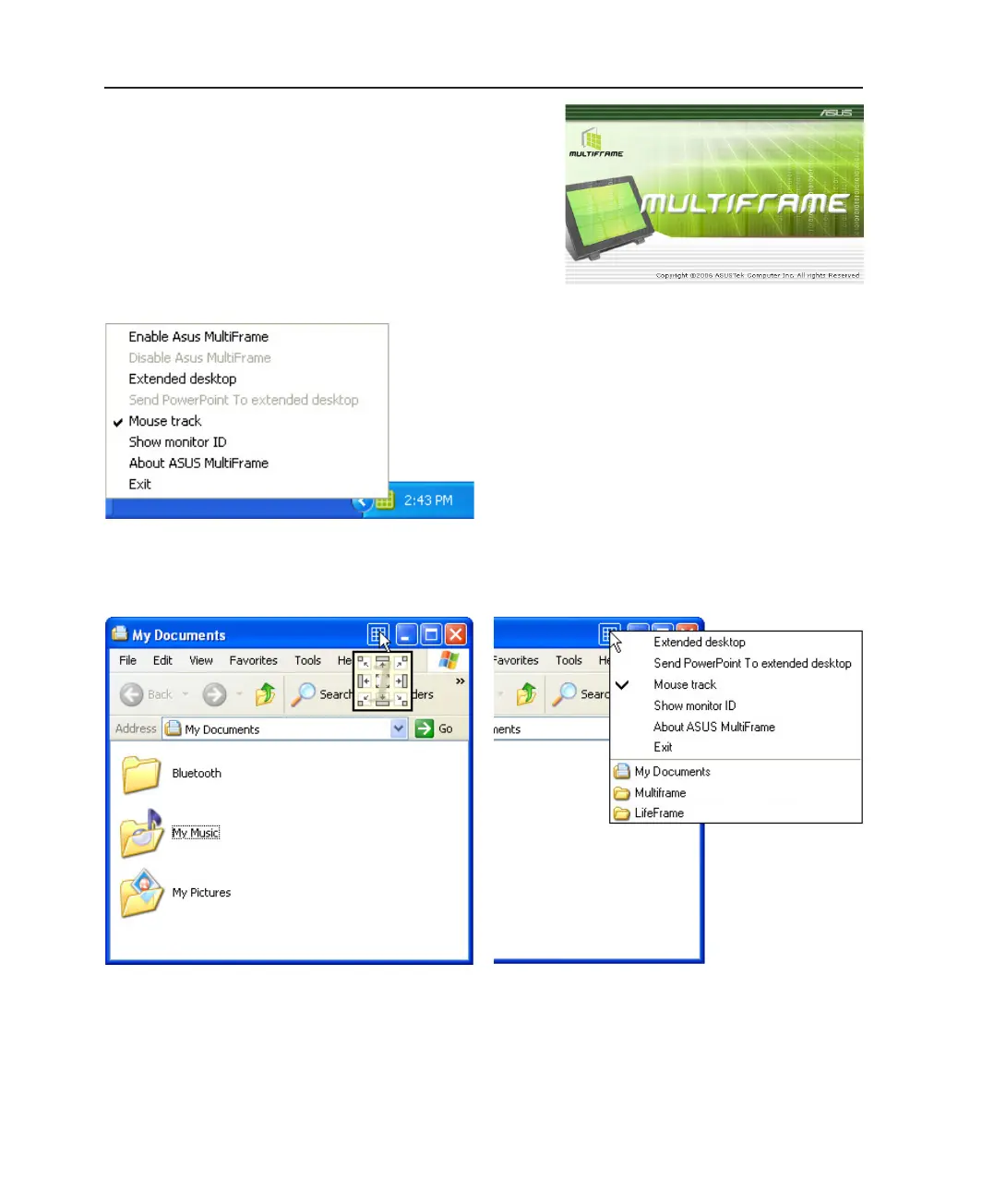
ASUS MultiFrame allows you to extend your Windows
desktop contents or applications such as MS PowerPoint
onto other monitors.
Right-click the ASUS MultiFrame icon on the taskbar for a
menu of options.
Each folder or application window will have the ASUS
MultiFrame icon. Left-click the ASUS MultiFrame icon and
choose a direction to send the window.
Each folder or application window will have the ASUS
MultiFrame icon. Right-click the ASUS MultiFrame icon for a
menu of options. You can also reveal a window from the list of
opened windows or applications.
Left-click on a window Right-click on a window
ASUS MultiFrame Taskbar Icon



 To Next Page