Connecting a USB storage device
This desktop PC provides USB 3.2 Gen 1, and USB 3.2 Gen 2 ports on the front and rear panels. The
USB ports allow you to connect USB devices such as storage devices.
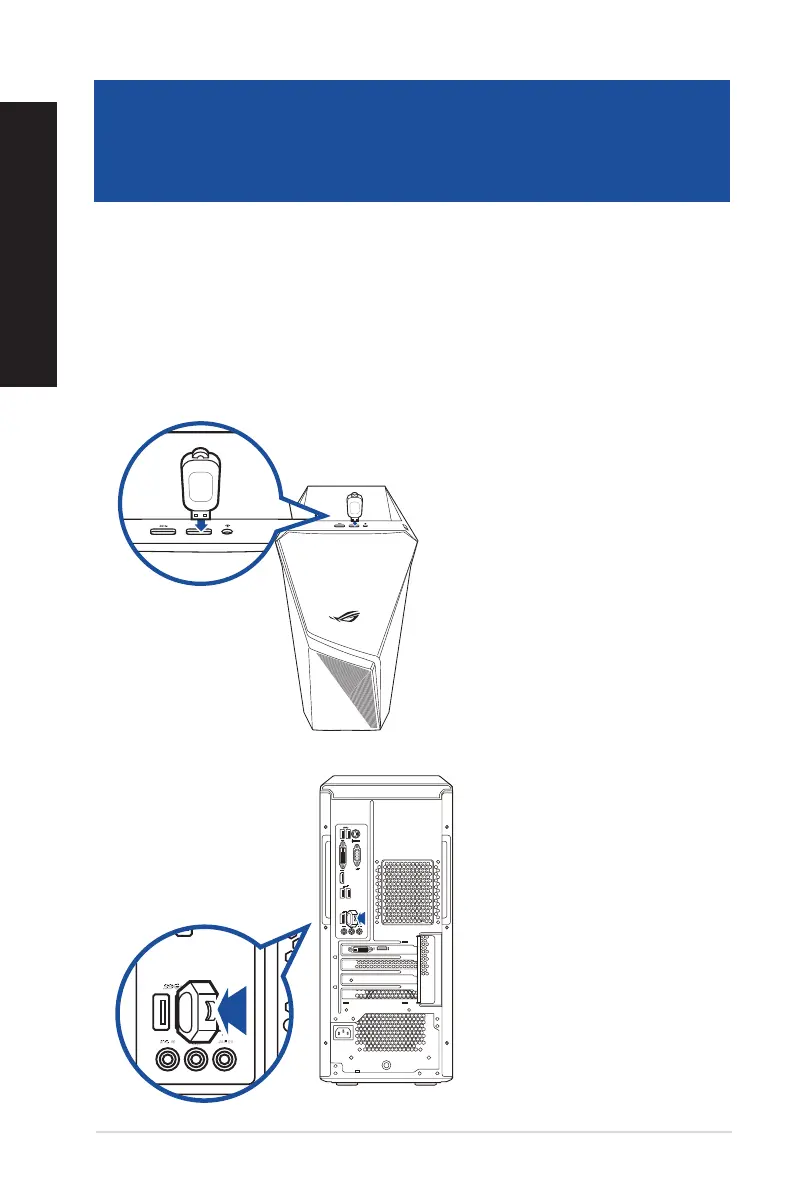
To connect a USB storage device:
• Insert the USB storage device to your computer.
Front panel
Rear panel
ENGLISH
ENGLISH
ASUS G10DK 22
Chapter 2
Connecting devices to your computer


 To Next Page