Wi-Fi connection (on selected models only)
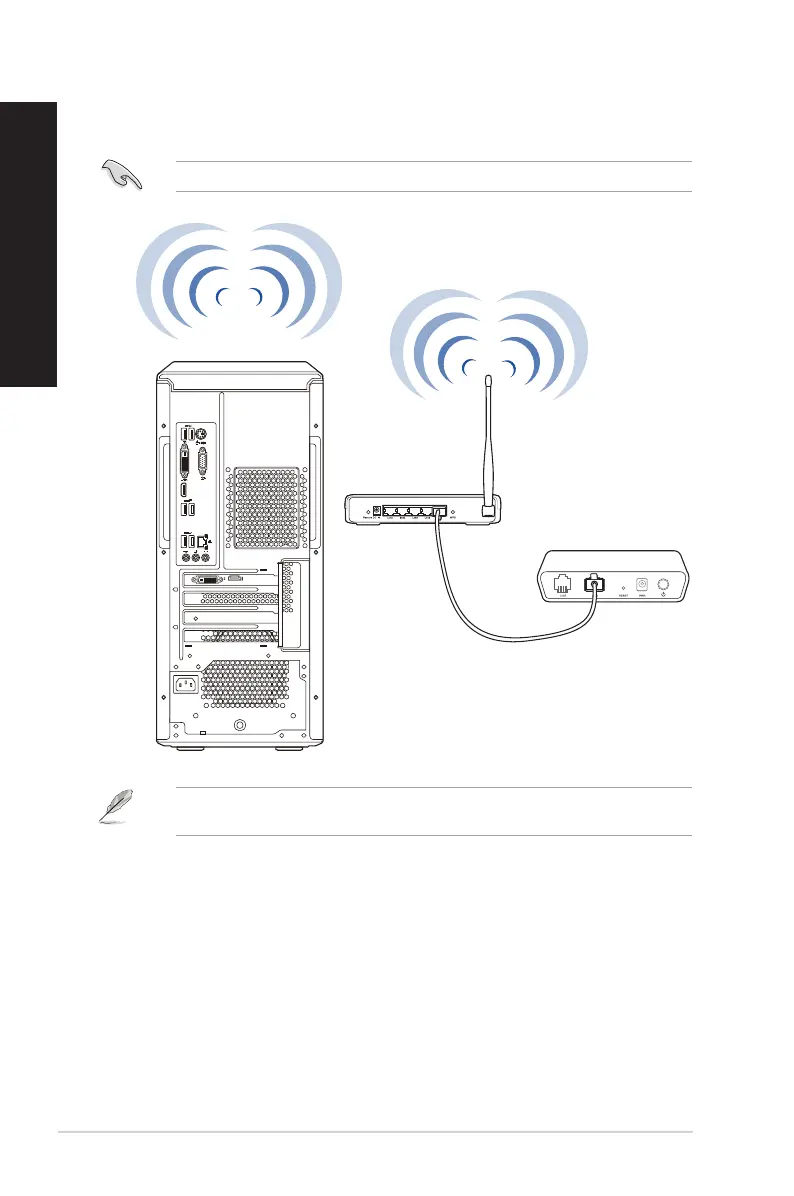
Connect your computer to the Internet through a wireless connection.
To establish a wireless connection, you need to connect to a wireless access point (AP).
Wireless AP
Modem
To increase the range and sensitivity of the wireless radio signal, connect the external antennas to
the antenna connectors on the ASUS WLAN Card.
34 Chapter 4: Connecting to the Internet
ENGLISH
ENGLISH


 To Next Page