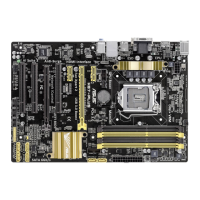
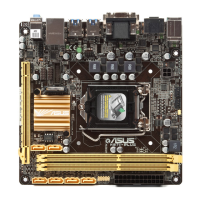
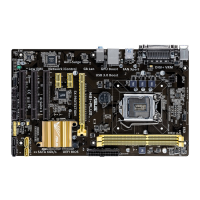
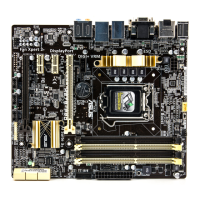
ASUS H87-PRO
3-15
Chapter 3
CPU Power Management
The subitems in this menu allow you to set the CPU ratio and features.
Enhanced Intel SpeedStep Technology [Enabled]
Allows you to enable or disable the Enhanced Intel
®
SpeedStep Technology (EIST).
[Disabled] Disables this function.
[Enabled] The operating system dynamically adjusts the processor voltage and
core frequency which may result in decreased average consumption
and decreased average heat production.
Turbo Mode [Enabled]
Allows you to enable your core processor’s speed to run faster than the marked
frequency in a specic condition. Conguration options: [Disabled] [Enabled]
The following items appear only when you set the Turbo Mode to [Enabled].
Turbo Mode Parameters
Long Duration Package Power Limit [Auto]
Allows you to limit the turbo ratio’s long duration package power. Use the
<+> and <-> keys to adjust the value.
Package Power Time Window [Auto]
Allows you to maintain the turbo ratio’s package power time window. Use
the <+> and <-> keys to adjust the value.
Short Duration Package Power Limit [Auto]
Allows you to limit the turbo ratio’s short duration power. Use the <+> and
<-> keys to adjust the value.
CPU Integrated VR Current Limit [Auto]
Allows you to set a higher current limiy to prevent frequency and power
throttling when overclocking. Use the <+> and <-> keys to adjust the value.
CPU Internal Power Switching Frequency
Frequency Tuning Mode [Auto]
Allows you to increase or decrease the switching frequency of the internal
regulator. Decrease to help consume less power or increase to help votlage
stability. Conguration options: [Auto] [+] [-]
CPU Internal Power Fault Control
Thermal Feedback [Auto]
Allows your system to take precautionary actions to be taken by the
CPU when the thermal conditions of the external regulator exceeds the
threshold. Conguration options: [Auto] [Disabled] [Enabled]
CPU Integrated VR Fault Management [Auto]
Disable this item to prevent tripping the Fully Integrated Voltage Regulator
when doing over-voltage. We recommend you to disable this item when
overclocking. Conguration options: [Auto] [Disabled] [Enabled]


 To Next Page