5
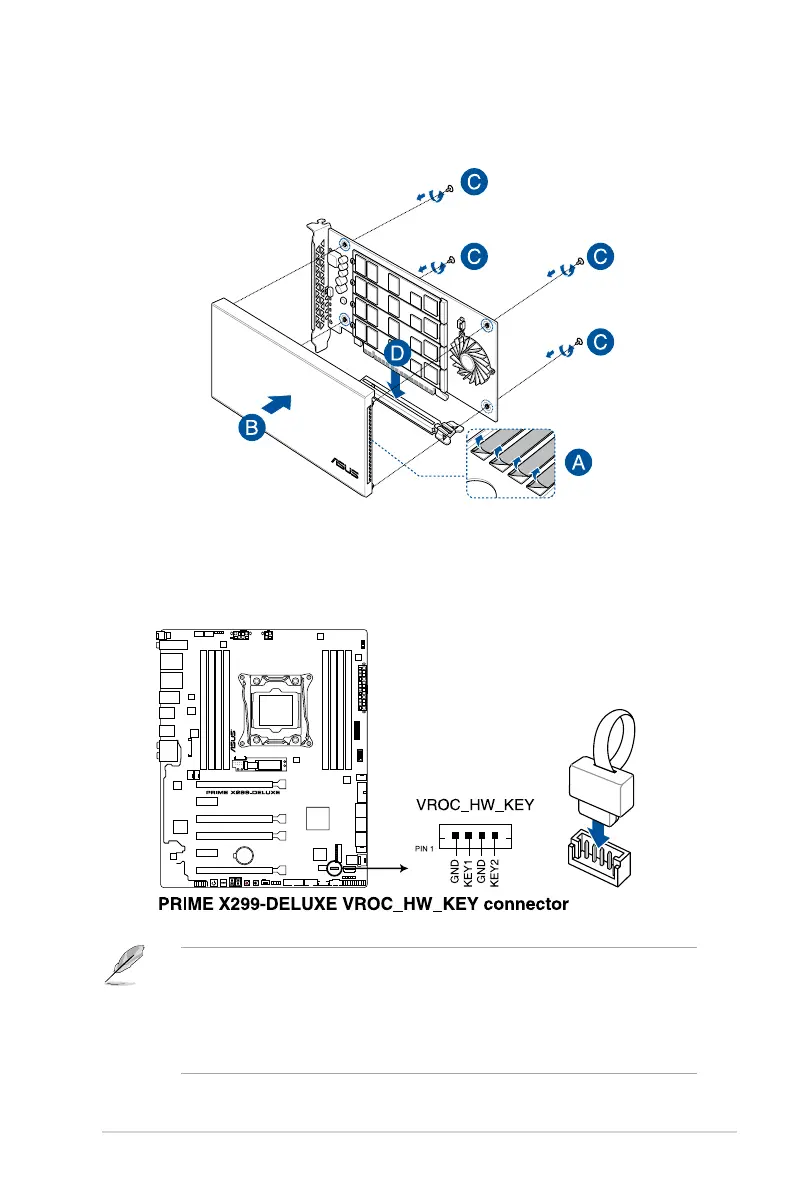
4. Peeltheplasticlmsoffthethermalpads,securethecovertotheASUSHYPER
M.2 X16 card with the cover screws that you removed earlier, then install the ASUS
HYPER M.2 X16 card into a PCI Express
3.0 slot.
6. (Optional) Locate the VROC_HW_KEY connector on your motherboard, then connect
a KEY module to enable additional RAID functions with Intel
®
Virtual Raid on CPU.
• TheKEYmoduleispurchasedseparately.
• Theillustrationsareforreferenceonly.Themotherboardlayoutmayvarywithmodels,
but the installation steps are the same for all models.
• DuetoCPUbehavior,CPURAIDfunctionswithIntel
®
CPU RSTe only supports Intel
®
Core™ X-series Processors (6-core or above) and Intel
®
SSD modules.
M.2_LED4
M.2_LED2
M.2_LED3
M.2_LED1
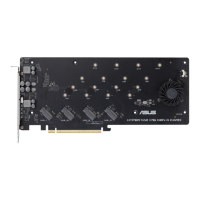
HYPER M.2 X16 CARD



 To Next Page