ASUS FlexSave User Guide
5
Introduction on the FlexSave software and user
interface
Overview
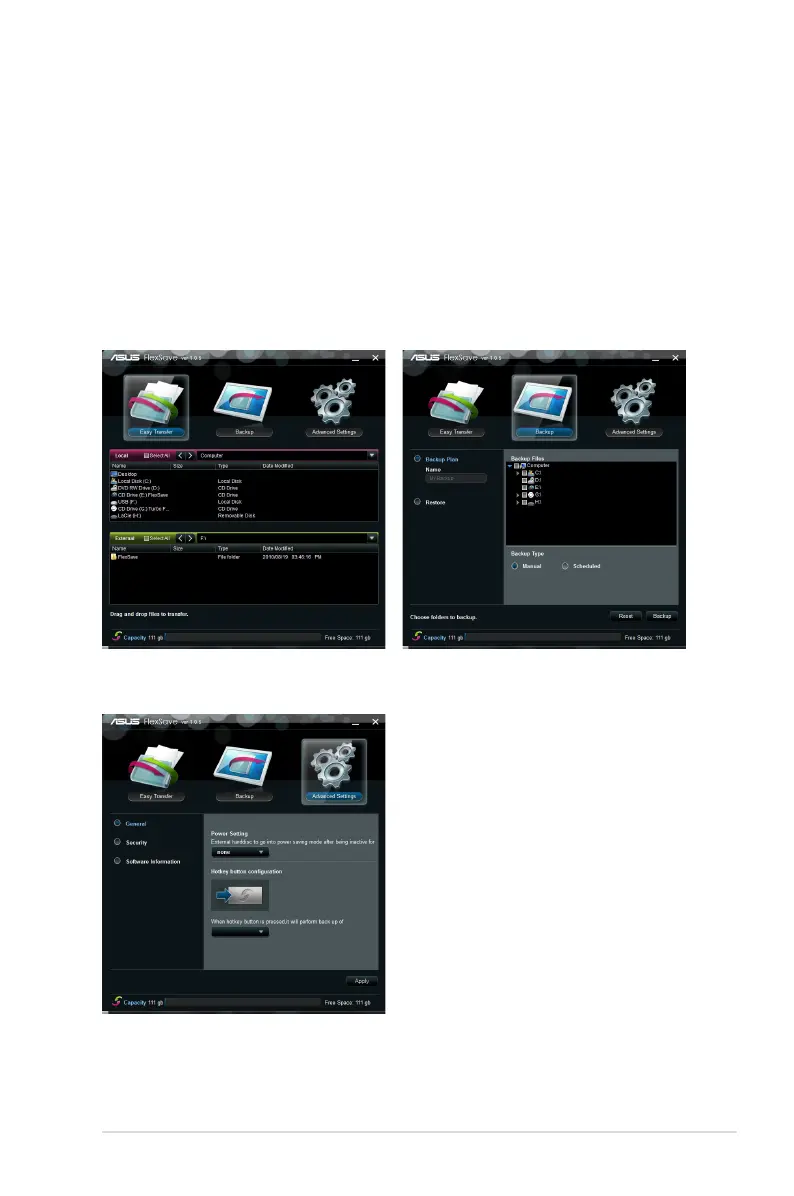
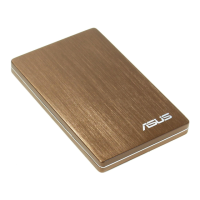
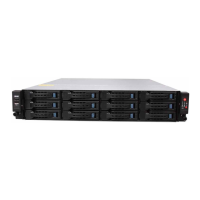
The FlexSave main screen is divided into three elds. The upper eld shows the main
functions of FlexSave. The “Easy Transfer” function will be shown after starting FlexSave.
The middle eld shows different conguration and operation options if you switch among the
FlexSave functions. The lower eld shows the free space of external storage devices in real
time.
Easy Transfer Backup
Advanced


 To Next Page