ASUS M2N-E SLI 2-31
Q-Connector (System panel)
ASUS Q-Connector allows you to easily to connect the chassis front
panel cables to the motherboard. Perform these steps to install ASUS Q-
Connector.
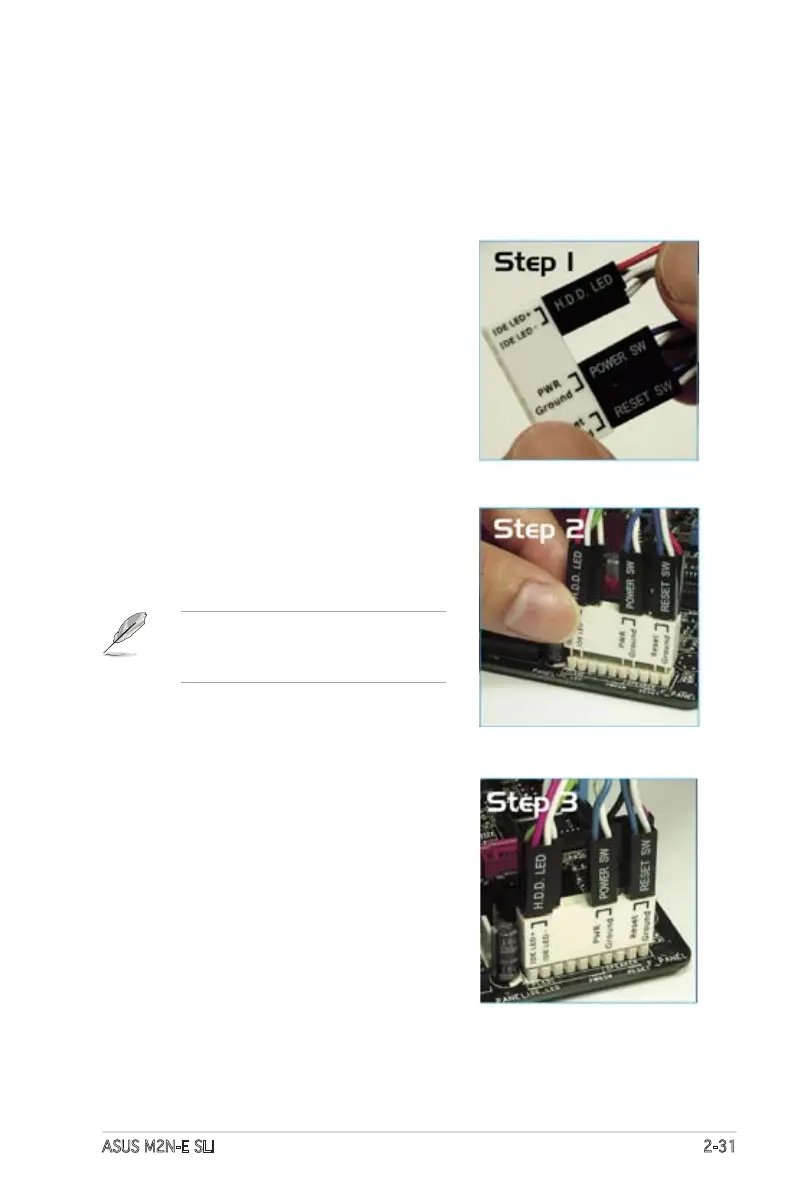
Step 1
Connect the front panel cables to
their respective connectors on the
ASUS Q-Connector. Refer to the
labels on the Q-Connector for proper
connection and pin denition.
Step 2
Carefully connect the ASUS
Q-Connector to the System panel
connector.
The ASUS Q-Connector ts only in
one orientation; if it doesn’t t, try
reversing it.
When installed, the Q-connector
appears as shown.









 To Next Page