2-40 Chapter 2: BIOS setup
Load from Prole 1/2
Allows you to load the previous BIOS settings saved in the BIOS Flash. Press
<Enter> to load the le.
Load from File
Allows you to load the previous BIOS les saved in the hard disk/oppy disk/USB
ash disk with the FAT32/16/12 format. Follow the instructions below to load the
BIOS le.
1. Insert the storage devices that contain the “xxx.CMO” le.
2. Turn on the system.
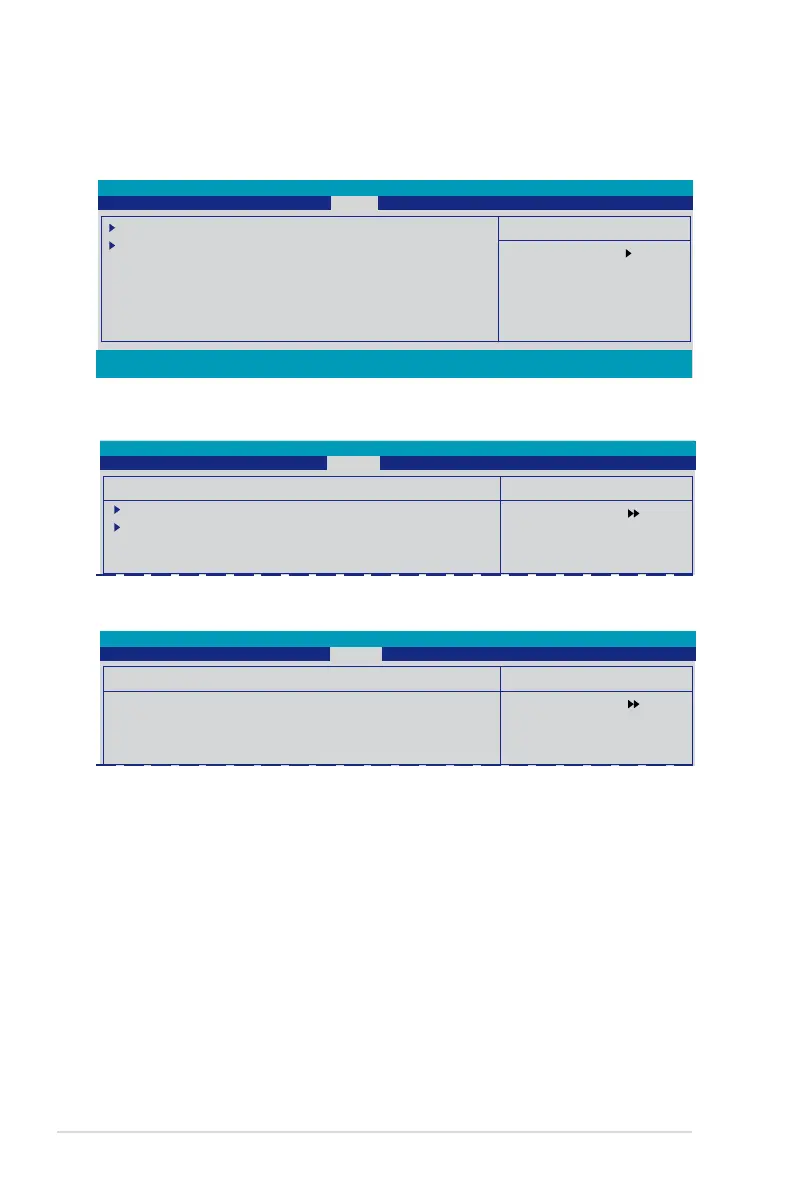
2.7 Tools menu
The Tools menu items allow you to congure options for special functions. Select
an item then press <Enter> to display the sub-menu.
Phoenix-Award BIOS CMOS Setup Utility
Main Advanced Power Boot Tools Exit
Select Menu
Item Specic Help
Press [Enter] to Set.
ASUS O.C. Prole
EZ Flash 2
F1:Help ↑↓ : Select Item -/+: Change Value F5: Setup Defaults
ESC: Exit →←: Select Menu Enter: Select SubMenu F10: Save and Exit
2.7.1 ASUS O.C. Prole
Select Menu
Item Specic Help
Press [Enter] to Set.
ASUS O.C. Prole
Load BIOS Prole
Save BIOS Prole
Phoenix-Award BIOS CMOS Setup Utility
Tools
Select Menu
Item Specic Help
Load BIOS Prole from
Prole 1.
Load BIOS Prole
Load from Prole 1
Load from Prole 2
Load from File
Phoenix-Award BIOS CMOS Setup Utility
Tools
Load BIOS Prole

 To Next Page
 Loading...