56
Notebook PC User Manual
Optical Drive
Inserting an optical disc
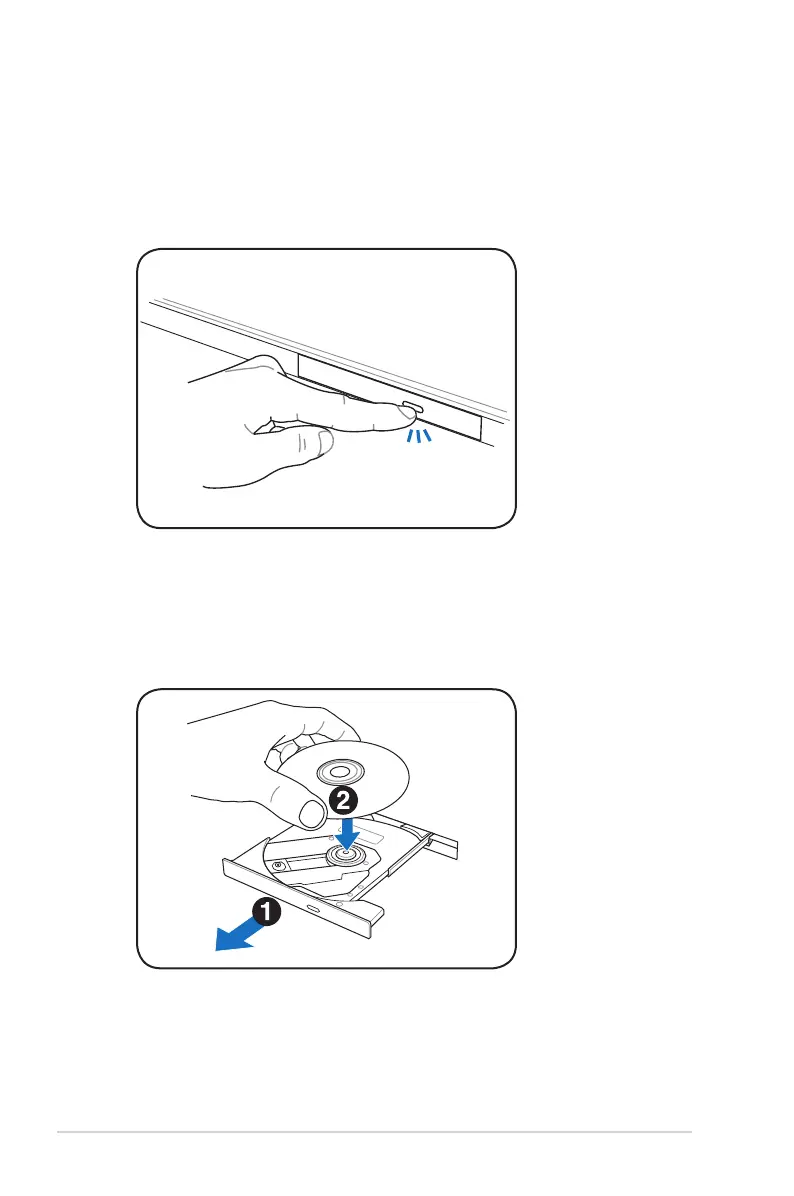
1. While the Notebook PC’s power is ON, press the drive’s eject
button and the tray will eject out partially.
2. Gently pull on the drive’s front panel and slide the tray
completely out. Be careful not to touch the CD drive lens and
other mechanisms. Make sure there are no obstructions that
may get jammed under the drive’s tray.


 To Next Page