A-8
Notebook PC User Manual
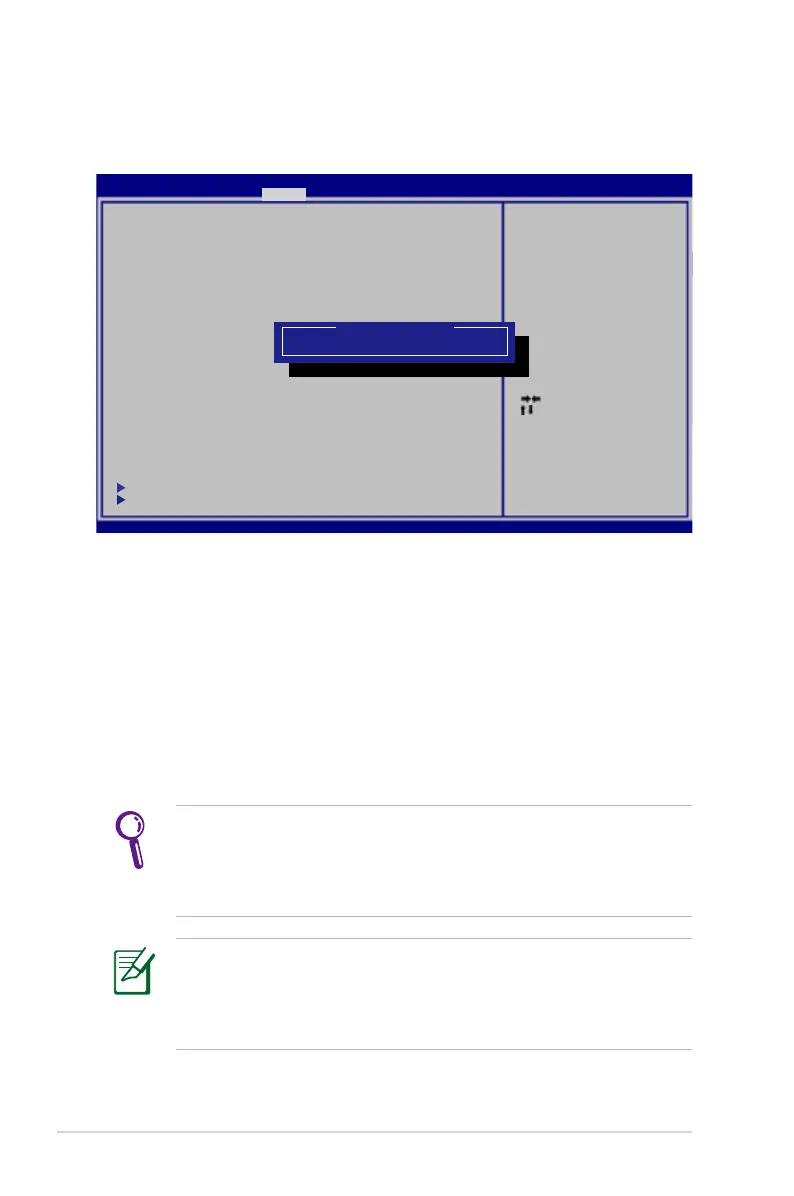
HDD Password
To set the HDD password:
1. On the
Security screen, click Set Master Password, type in a
password and press [Enter].
2. Re-type to confirm the password and press [Enter].
3. Click
Set User Password and repeat the previous steps to set up
the user password.
4. Password is then set.
• The HDD Password can only be altered when you log in with
Administrator privilege.
• You have to set Master Password before setting the User
Password.
You will be asked to enter user password first (if there is one), then
HDD user password when you power on the Notebook PC and
cannot enter the operating system if you fail to enter the correct
passwords.
: Se le ct S cr ee n
: Se le ct I te m
Ent er : Se le ct
+/— : Ch an ge O pt .
F1: G en er al He lp
F2: P re vious Values
F9: O pt im ized Defau lt s
F10 : Save ES C: Ex it
Ver si on 2 .0 1. 12 04 . Copyrigh t (C ) 20 11 A me rican Megatre nd s, I nc .
A pt io S et up Util ity - Copy ri gh t (C ) 20 11 Amer ican Meg at re nd s, I nc .
M ai n A dv anced B oo t S ec ur it y Save & E xi t
Pa ss wo rd D es cr iption
If O NL Y th e Ad mi nistrato r’ s pa ss wo rd i s set,
th en t hi s on ly limits ac ce ss t o Se tu p and i s
on ly a sk ed f or when ente ri ng S et up .
If O NL Y th e us er ’s passw or d is s et , th en this
is a p ow er o n password a nd m us t be e nt ered to
bo ot o r en te r Se tup. In Se tu p, t he U se r will
ha ve A dm in is tr ator right s.
Th e pa ss wo rd l ength must b e
in t he f ol lo wi ng range:
Mi ni mu m le ng th 3
Ma xi mu m le ng th 20
A dm in is tr at or Password
U se r Pa ss wo rd
S ec ur e Bo ot c ontrol [En ab le d]
H DD P as sw or d St atus : NOT I NS TA LL ED
S et M as te r Pa ssword
S et U se r Pa ss word
I /O I nt er fa ce S ecurity
S ec ur it y Bo ot P olicy
Set H DD M as te r Pa ss word.
* ** A d va n c ed t o Po w er C y cl e
Sy st em afte r Setti ng Hard D isk
Pas sw or ds * **
Create N ew P as sw or d



 To Next Page