Need help?
Do you have a question about the Asus Nexus Player TV500I and is the answer not in the manual?
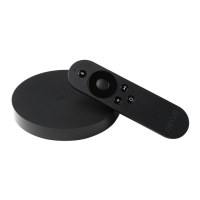
Connect the Nexus Player to your TV using an HDMI cable for initial setup.
Pair the remote control with the Nexus Player using Bluetooth technology for content access.
Pair a gamepad with the Nexus Player for an enhanced gaming experience and app usage.
 General
| RAM | 1 GB |
|---|---|
| Internal Storage | 8 GB |
| Bluetooth | Bluetooth 4.1 |
| Audio Output | HDMI |
| Dimensions | 120 x 120 x 20 mm |
| Weight | 235 g |
| Operating System | Android 5.0 Lollipop |
| Processor | 1.8 GHz Quad-core Intel Atom |
| GPU | Imagination PowerVR Series 6 |
| Wireless Connectivity | 802.11 a/b/g/n/ac, 2x2 (MIMO) |
| Ports | HDMI, Micro-USB 2.0 |
| Video Output | HDMI |
| Remote Control | Bluetooth Voice Remote |

 To Next Page