EasyManua.ls Logo

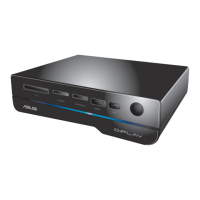
Asus O!PLAY GALLERY - User Manual

Asus O!PLAY GALLERY
72 pages
Print Icon
To Next Page IconTo Next Page
Loading...
HD Media Player
User Manual
O!PLAY GALLERY
e7265_oplaygallery_contents.indb1 1 3/2/12 10:45:44 AM

Table of Contents

Questions and Answers

Summary

Chapter 1: Getting Started

Specifications Summary

Details the technical specifications, supported formats, and I/O ports of the media player.

Chapter 2: Network Setup and Services

Connecting to a Network

Guides on establishing wired or wireless connections for network access and services.

Chapter 3: Using Your O!PLAY GALLERY Media Player

Playing a Movie

Instructions on how to select and play movie files from different sources.

Playing Music

Guide to accessing and playing music files, including playlist creation.

Chapter 4: Troubleshooting

Display Issues

Solutions for problems related to the TV screen, such as blank or fuzzy display.

Audio Issues

Troubleshooting steps for lack of sound or incorrect audio playback.

Network Connection Problems

Addresses issues with connecting to Wi-Fi or wired networks.

Operation;Function Failure

Basic steps to resolve general operational failures or unresponsiveness.

Asus O!PLAY GALLERY Specifications

General IconGeneral
Image Formats SupportedJPEG, BMP, PNG, GIF
Video OutputHDMI, Composite
Video Formats SupportedMPEG1/2/4, H.264, VC-1, RM/RMVB
Audio Formats SupportedMP3, WMA, WAV, AAC, FLAC, OGG
Network ConnectivityWi-Fi, Ethernet
HDMI OutputHDMI 1.3
Audio OutputHDMI, Stereo RCA, Optical S/PDIF
Card ReaderSD/SDHC
Ethernet10/100 Mbps
Network FeaturesDLNA, UPnP
File System SupportFAT32, NTFS
Power Consumption15 W

Related product manuals