4-26
Chapter 4: BIOS Setup
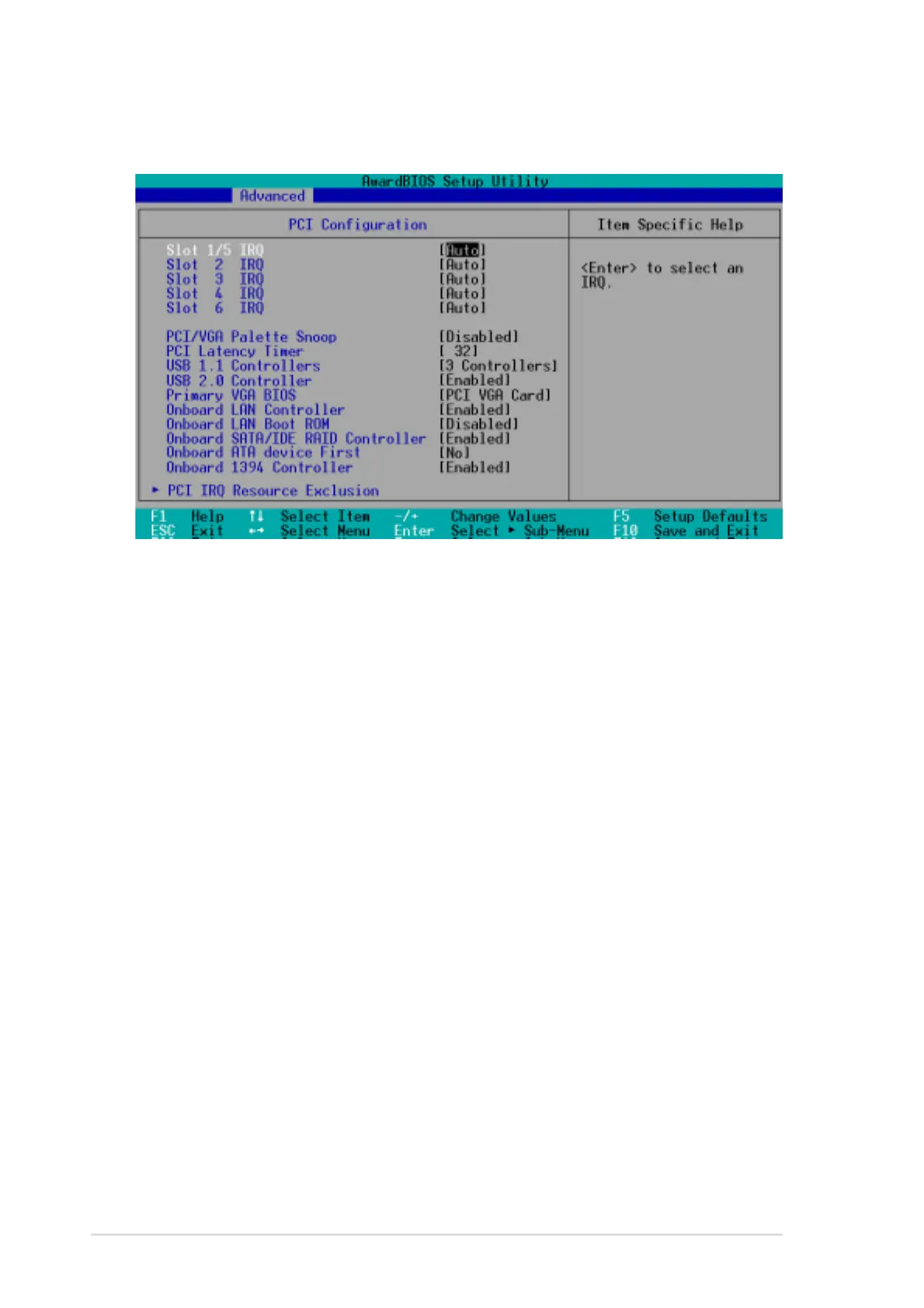
Slot 1/5, Slot 2, Slot 3, Slot 4, Slot 6 IRQ [Auto]
These fields automatically assign the IRQ for each PCI slot. The default
setting for each field is [Auto], which utilizes auto-routing to determine IRQ
assignments. Configuration options: [Auto] [NA] [3] [4] [5] [7] [9] [10] [11]
[12] [14] [15]
PCI/VGA Palette Snoop [Disabled]
Some non-standard VGA cards, like graphics accelerators or MPEG video
cards, may not show colors properly. Setting this field to [Enabled] corrects
this problem. If you are using standard VGA cards, leave this field to the
default setting [Disabled]. Configuration options: [Disabled] [Enabled]
PCI Latency Timer [32]
Leave this field to the default setting [32] for best performance and
stability.
USB 1.1 Controllers [3 Controllers]
This field allows you to select the number of USB 1.1 controllers that you
wish to activate. Configuration options: [Disabled] [3 Controllers]
4.4.3 PCI Configuration


 To Next Page