5-45-4
5-45-4
5-4
Chapter 5: Software supportChapter 5: Software support
Chapter 5: Software supportChapter 5: Software support
Chapter 5: Software support
5.2.35.2.3
5.2.35.2.3
5.2.3
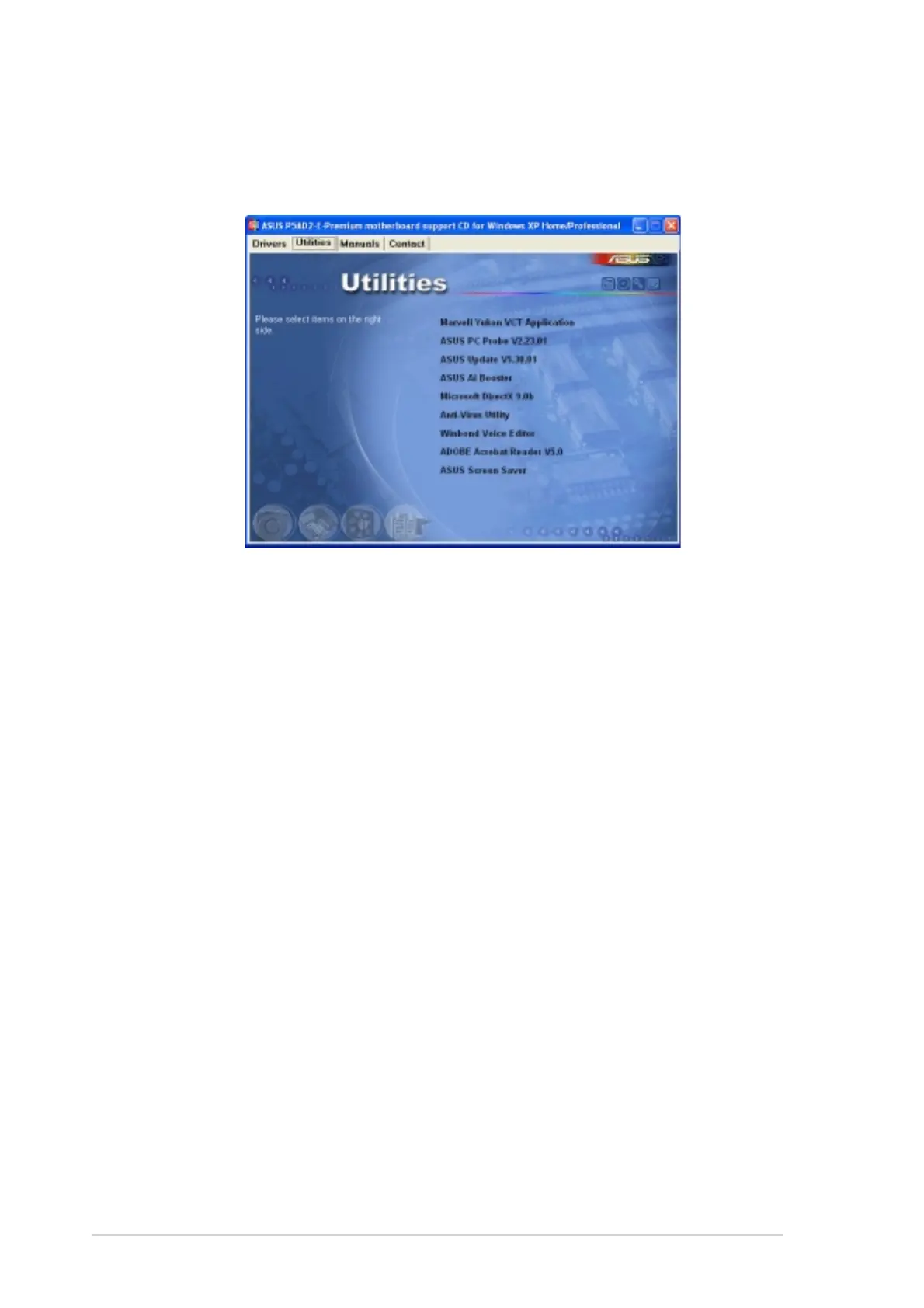
Utilities menuUtilities menu
Utilities menuUtilities menu
Utilities menu
The
UtilitiesUtilities
UtilitiesUtilities
Utilities menu displays the software applications and utilities that the
motherboard supports. Click on an item to install.
Marvell Yukon VCT ApplicationMarvell Yukon VCT Application
Marvell Yukon VCT ApplicationMarvell Yukon VCT Application
Marvell Yukon VCT Application
The Virtual Cable Tester (VCT) is a cable diagnostic application that analyzes
and reports LAN cable faults and shorts. See page 5-10 for details.
ASUS PC ProbeASUS PC Probe
ASUS PC ProbeASUS PC Probe
ASUS PC Probe
This smart utility monitors the fan speed, CPU temperature, and system
voltages, and alerts you of any detected problems. This utility helps you
keep your computer in healthy operating condition.
ASUS UpdateASUS Update
ASUS UpdateASUS Update
ASUS Update
The ASUS Update utility that allows you to update the motherboard BIOS in
Windows
®
environment. This utility requires an Internet connection either
through a network or an Internet Service Provider (ISP). See page 4-8 for
details.
AI BoosterAI Booster
AI BoosterAI Booster
AI Booster
The ASUS AI Booster application allows you to overclock the CPU speed in
Windows
®
environment.
Microsoft DirectX 9.0bMicrosoft DirectX 9.0b
Microsoft DirectX 9.0bMicrosoft DirectX 9.0b
Microsoft DirectX 9.0b
The Microsoft DirectX
®
9.0b is a multimedia technology that enhances
computer graphics and sounds. DirectX
®
improves the multimedia features
of your computer so you can enjoy watching TV and movies, capturing
videos, or playing games in your computer.



 To Next Page