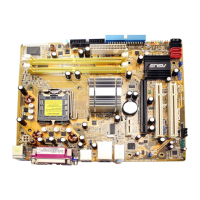
ASUS P5AD2-E PremiumASUS P5AD2-E Premium
ASUS P5AD2-E PremiumASUS P5AD2-E Premium
ASUS P5AD2-E Premium
4-174-17
4-174-17
4-17
Onboard IDE Operate Mode [Enhanced Mode]Onboard IDE Operate Mode [Enhanced Mode]
Onboard IDE Operate Mode [Enhanced Mode]Onboard IDE Operate Mode [Enhanced Mode]
Onboard IDE Operate Mode [Enhanced Mode]
Allows selection of the IDE operation mode depending on the installed
operating system (OS). Set to [Enhanced Mode] if you are using native OS
including Windows
®
2000/XP. Configuration options: [Compatible Mode]
[Enhanced Mode]
Enhanced Mode Support On [S-ATA]
Allows you to use native OS on Serial ATA and Parallel ATA ports. It is
recommend that you do not change the default setting for better OS
compatibility. In this setting, you may use legacy OS on the Parallel
ATA ports only if you do not install any Serial ATA device.
The P-ATA+S-ATA and P-ATA options are for advanced users only. If
you set to any of these options and encountered problems, revert to
the default setting
S-ATAS-ATA
S-ATAS-ATA
S-ATA. Configuration options: [P-ATA+S-ATA]
[S-ATA] [P-ATA]
The
Onboard IDE Operate Mode Onboard IDE Operate Mode
Onboard IDE Operate Mode Onboard IDE Operate Mode
Onboard IDE Operate Mode and its sub-menu items appear
only when the
Configure SATA As Configure SATA As
Configure SATA As Configure SATA As
Configure SATA As item is set to [Standard IDE].
Onboard Serial-ATA BOOTROOM [Disabled]
Enables or disables the onboard Serial ATA boot ROM. This item
appears only when the Configure SATA As item is set as RAID.
Configuration options: [Disabled] [Enabled]
The
Onboard Serial-ATA BOOTROM Onboard Serial-ATA BOOTROM
Onboard Serial-ATA BOOTROM Onboard Serial-ATA BOOTROM
Onboard Serial-ATA BOOTROM appears only when the
Configure SATA As Configure SATA As
Configure SATA As Configure SATA As
Configure SATA As item is set to [RAID].
ALPE and ASP [Disabled]ALPE and ASP [Disabled]
ALPE and ASP [Disabled]ALPE and ASP [Disabled]
ALPE and ASP [Disabled]
Allows you to enable or disable the Agressive Link Power Management
(ALPE) and Aggressive Slumber/Partial (ASP) management features.
Configuration options: [Disabled] [Enabled]
AHCI Port 3 Interlock Switch [Disabled]
Enables or disables the Advanced Host Controller Interface (AHCI) Port
3 interlock switch. Configuration options: [Disabled] [Enabled]
The
ALPE and ASP ALPE and ASP
ALPE and ASP ALPE and ASP
ALPE and ASP and its sub-menu items appear only when the
Configure SATA As Configure SATA As
Configure SATA As Configure SATA As
Configure SATA As item is set to [AHCI].
IDE Detect Time Out [35]IDE Detect Time Out [35]
IDE Detect Time Out [35]IDE Detect Time Out [35]
IDE Detect Time Out [35]
Selects the time out value for detecting ATA/ATAPI devices.
Configuration options: [0] [5] [10] [15] [20] [25] [30] [35]



 To Next Page