ASUS P5Q-E 4-35
Audio Setup Wizard
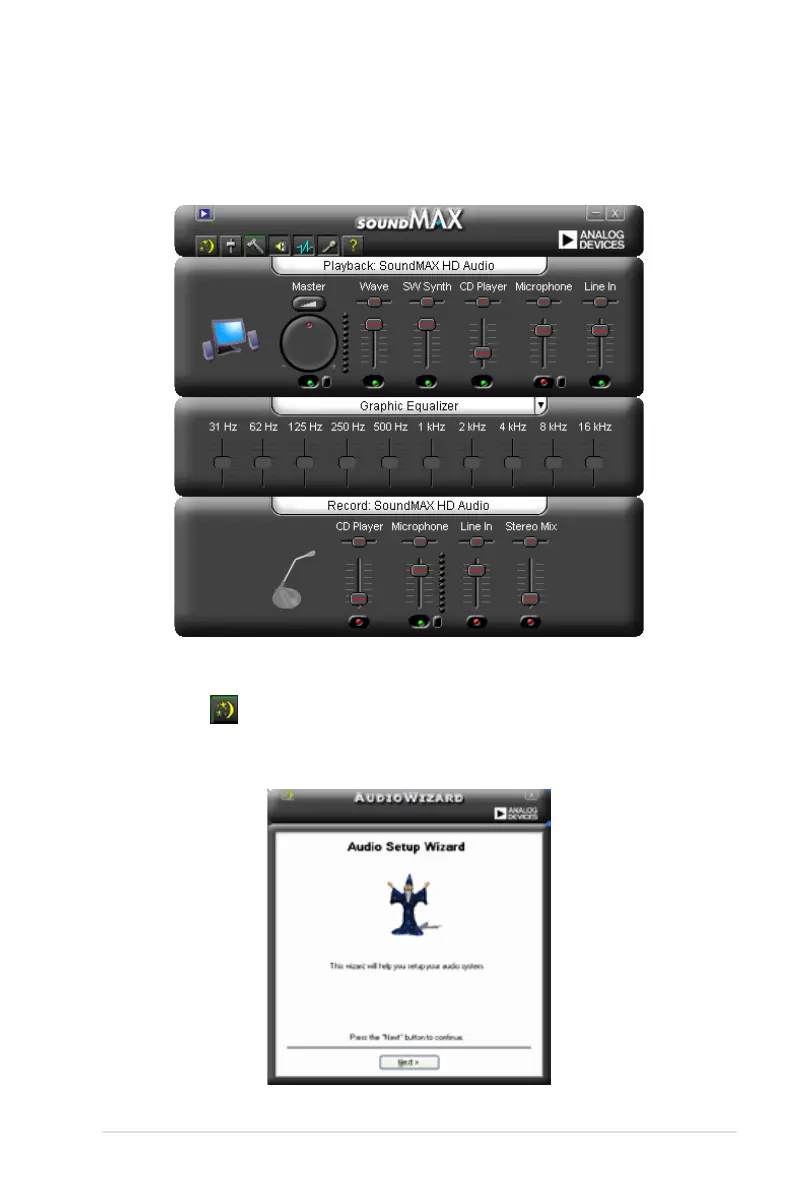
By clicking the icon from the SoundMAX
®
control panel, you can easily
congure your audio settings. Simply follow succeeding screen instructions and
begin enjoying High Denition Audio.
B. SoundMAX
If you are using Windows XP operating system, from the taskbar, double-click on
the SoundMAX
®
icon to display the SoundMAX
®
Control Panel.




 To Next Page