
 Need help?
Do you have a question about the Asus ROG RYUJIN II Series and is the answer not in the manual?
Install the Intel backplate for CPU mounting.
Install the Intel standoff screws for mounting.
Install the CPU cooler pump head onto the mounting bracket.
Remove the pre-installed Intel mounting bracket.
Install the AMD mounting bracket for CPU installation.
Install plastic collars and standoff screws for AMD.
Install the pump onto the AMD mounting bracket for AM4.
Install the pump onto the AMD mounting bracket for AM5.
 General
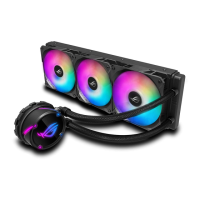
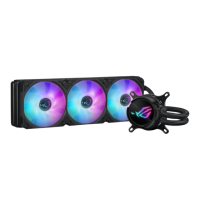
| Radiator Material | Aluminum |
|---|---|
| Block Material | Copper |
| Tube Material | Sleeved Rubber |
| Fan Size | 120mm |
| Warranty | 3 years |
| Radiator Size | 360mm |
| Fan Speed | 450 ~ 2000 RPM +/- 10 % |
| Fan Noise | 29.7 dB(A) |
| Pump Speed | 800 - 2800 RPM ± 10% |
| Compatibility | Intel LGA 1700, 1200, 115x, 2011, 2066 and AMD AM4 |
| Display | 3.5" Full Color LCD |
| Display Resolution | 320 x 240 |
| RGB Lighting | Yes |
| Fan Model | Noctua IndustrialPPC PWM fan (120mm, 240mm, 360mm models), Noctua NF-14 iPPC-2000 PWM (280mm model) |
| Static Pressure | 3.94 mmH2O |





 To Next Page