41
• WorkGroup
Assigns the name of the local RT-AC1900P network as seen in
Network Neighborhood.
NOTE: For Device Name and Work Group, the standard input
characters include letters (a-z, A-Z), digits (0-9), space, underscores(_),
and hyphens(-). The first and last character should not contain any
spaces. An invalid workgroup name makes it harder for other devices to
find your device in the network.
• CharactersetonFTPServer
Select the appropriate encoding used during data exchange
on the FTP server.
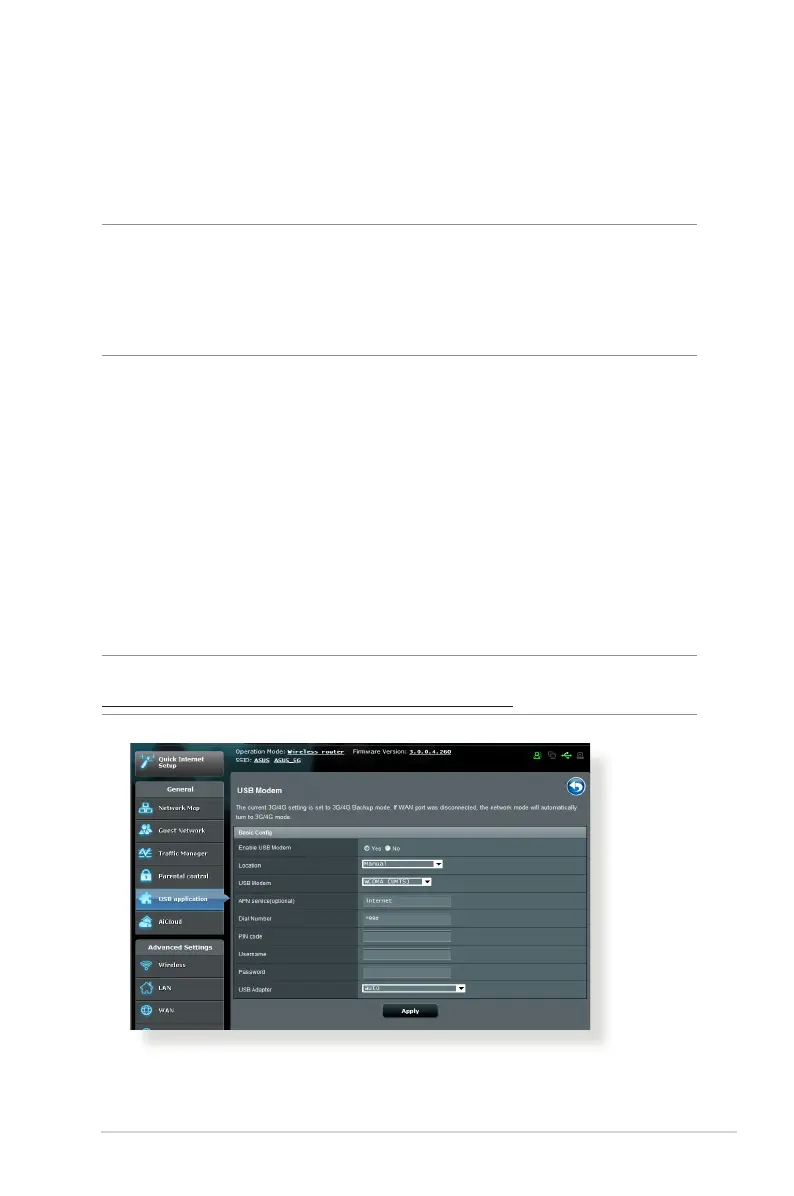
3.5.3 3G/4G
3G/4G USB modems can be connected to RT-AC1900P to allow
Internet access.
NOTE: For a list of verified USB modems, please visit:
http://event.asus.com/2009/networks/3gsupport/


 To Next Page