76
4.5 VPN Server
VPN (Virtual Private Network) provides a secure communication
to a remote computer or remote network using a public network
such as the Internet.
NOTE: Before setting up a VPN connection, you would need the IP
address or domain name of the VPN server you are trying to access.
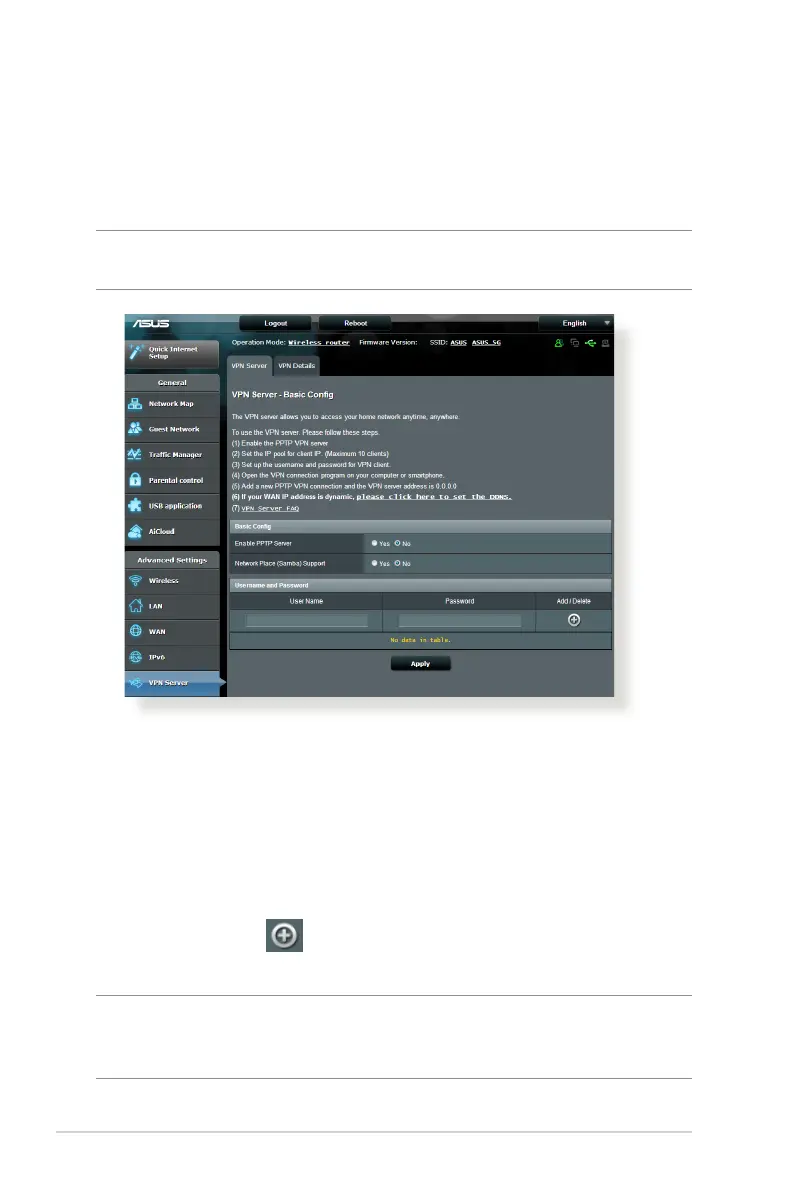
To set up access to a VPN server:
1. From the navigation panel, go to Advanced Settings > VPN
Server.
2. On the Enable PPTP Server field, select Yes .
3. On the Network Place (Samba) Support field, select Ye s.
4. Enter the user name and password for accessing the VPN
server. Click the button.
5. Click Apply.
NOTE: For advanced VPN server settings, click the VPN Server tab to
configure broadcast support, authentication, MPPE Encryption, and
Client IP address range.


 To Next Page